
The best mini PC options available in 2026 have changed the way people think about home office computing forever. Gone are the days when a powerful desktop meant a bulky tower consuming half your desk space. Today’s mini PC market spans an impressive range from ultra-affordable budget workhorses to full-blown gaming powerhouses, all packed into form factors small enough to mount behind your monitor or tuck into a drawer when not in use.
Whether you are setting up a clean home office, building a compact entertainment system, running a personal server, or even gaming without a traditional tower, there is a mini PC in 2026 that fits your exact needs and budget. In this guide we have broken down the five best mini PCs worth buying this year, drawing from hands-on reviews published by trusted outlets including PCMag, PCWorld, and PCVarge.
Why a Mini PC Makes Sense for Your Home Office in 2026
The key is matching the right mini PC to your actual use case. A budget buyer who primarily browses the web and handles documents does not need the same machine as a developer running virtual machines or a gamer who wants 1440p performance in a compact chassis. This guide covers all of those scenarios clearly.
Best Mini PC for Home Office in 2026
| Mini PC | CPU | RAM | Storage | Best For |
|---|---|---|---|---|
| ROG NUC 2025 | Intel Core Ultra 9 275HX | Up to 96GB DDR5 | Up to 4TB NVMe | Compact gaming and power users |
| GEEKOM A7 Max | AMD Ryzen 9 7940HS | 16GB DDR5 (upgradeable) | 1TB PCIe 4.0 NVMe | Productivity and everyday all-rounder |
| AceMagic M5 | Intel Core i9-14900HX | 32GB DDR4 | 1TB NVMe | CPU-intensive work and homelabs |
| KAMRUI Pinova P2 | AMD Ryzen 4300U | 16GB | 512GB SSD | Budget home office and entertainment |
| GMKtec G3 Pro | Intel Core i3-10110U | Up to 16GB DDR4 | Dual M.2 slots | Entry-level office and media use |
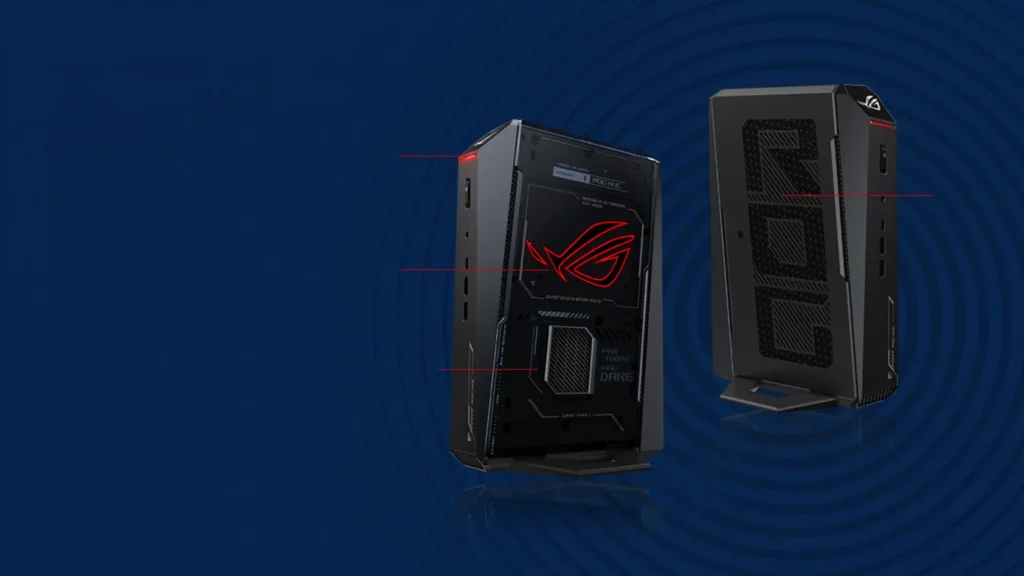
ROG NUC 2025
Specs at a Glance
| Specification | Detail |
|---|---|
| CPU | Intel Core Ultra 9 275HX (up to Core Ultra 7 255HX at base) |
| GPU | NVIDIA GeForce RTX 5070 Ti Laptop GPU (review config) |
| RAM | 32GB DDR5-5600 SO-DIMM (upgradeable to 96GB) |
| Storage | 2TB NVMe SSD (PCIe 4.0 boot drive, PCIe 5.0 second slot) |
| Display Outputs | 2x HDMI 2.1, 2x DisplayPort 2.1 |
| Connectivity | Thunderbolt 4, Wi-Fi 7, Bluetooth 5.3, Ethernet |
| Front Ports | USB-C 3.2, 2x USB-A 3.2, 3.5mm audio |
| Rear Ports | 4x USB-A 3.2, Thunderbolt 4, display outputs, Ethernet |
| Dimensions | 11.2 inches tall, 7.4 x 2.2 inch footprint |
| Operating System | Windows 11 |
Reasons to Buy
- The most powerful compact gaming mini PC available in 2026, earning PCMag's Editor's Choice
- RTX 5070 Ti Laptop GPU delivers impressive 1080p and 1440p gaming performance
- Intel Core Ultra 9 275HX outperforms many competing desktop CPUs in productivity benchmarks
- Wi-Fi 7 and Thunderbolt 4 provide best-in-class connectivity for a compact system
- Four display outputs support complex multi-monitor home office setups natively
- RAM upgradeable up to 96GB for demanding professional workloads
- Two M.2 SSD slots including one PCIe 5.0 slot for future-proof storage expansion
- Customizable RGB lighting and ROG aesthetic bring genuine gaming personality to a tiny form factor
Reasons to Avoid
- Premium pricing makes it one of the most expensive mini PCs on the market
- CPU and GPU cannot be upgraded after purchase, locking you into your chosen configuration
- Mobile GPU chips trail their desktop counterparts in raw performance at equivalent GPU tier names
- Armoury Crate software has become bloated and includes features aimed at handheld gaming users
Gaming Performance That Defies Its Size
The ROG NUC 2025 packs NVIDIA’s GeForce RTX 50-series mobile GPU into a chassis barely larger than a thick hardback book. According to PCMag’s testing, the NUC’s mobile RTX 5070 Ti outperformed a full desktop RTX 5060 Ti system, which is a remarkable achievement for a mini PC platform. At 1080p and 1440p resolutions, the system delivers genuinely impressive gaming frame rates across popular titles including Call of Duty: Modern Warfare 3 and F1 2024. For home office users who also want to game without a separate gaming tower, this is the machine that makes that possible without any meaningful compromise in form factor.
| Gaming Resolution | ROG NUC 2025 Performance |
|---|---|
| 1080p gaming | Strong performance, competitive with mid-range desktop GPUs |
| 1440p gaming | Impressive, particularly in F1 2024 and Call of Duty |
| 4K gaming | Limited, Cyberpunk 2077 RT Overdrive becomes a slideshow |
| Ray tracing at 1440p | Playable at RT Ultra or RT Medium presets |
Productivity Performance That Surprises
Connectivity Built for a Modern Home Office
The Upgrade Limitation You Must Understand Before Buying
Best for: Home office power users, compact gaming enthusiasts, and professionals who want a single machine that handles demanding productivity work and serious gaming without occupying a traditional desktop footprint.
GEEKOM A7 Max
Specs at a Glance
| Specification | Detail |
|---|---|
| CPU | AMD Ryzen 9 7940HS (8 cores, 16 threads, up to 5.2GHz) |
| GPU | AMD Radeon 780M integrated graphics (RDNA 3) |
| RAM | 16GB DDR5-5600MHz (upgradeable, non-soldered) |
| Storage | 1TB PCIe 4.0 NVMe SSD (up to 6,895 MB/s read) |
| Secondary Storage | 1x M.2 2230 PCIe 4.0 slot (up to 4TB) |
| Display Outputs | 2x HDMI 2.1, 2x USB4 with DisplayPort 1.4 (4 displays total) |
| Networking | 2x 2.5GbE Ethernet, Wi-Fi 7, Bluetooth 5.4 |
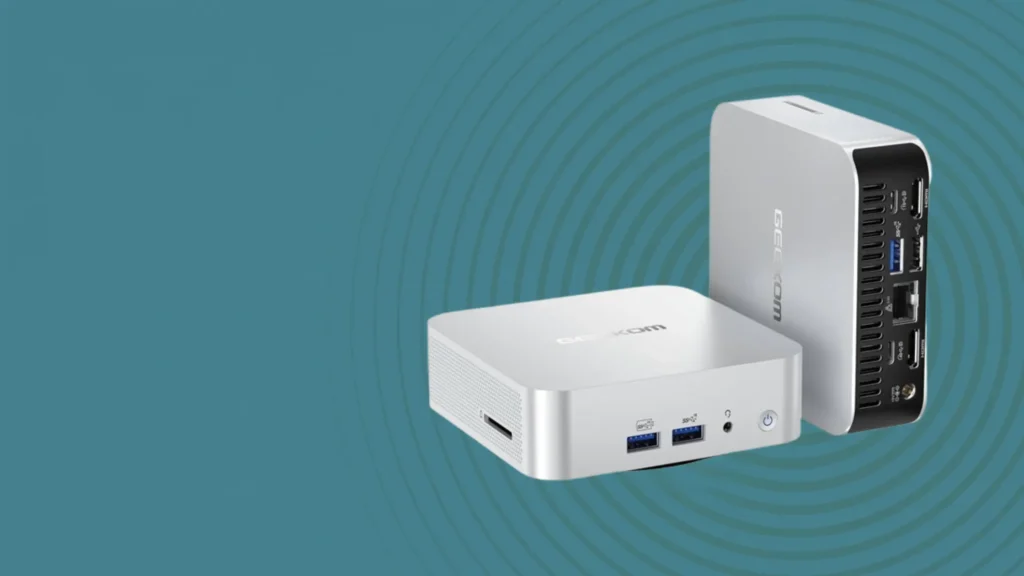
| Front Ports | 3x USB 3.2 Gen 2, 1x Always-On USB, 3.5mm audio, SD card reader |
| Dimensions | 135 x 132 x 46.9mm |
| Operating System | Windows 11 24H2 |
Reasons to Buy
- Powerful AMD Ryzen 9 7940HS delivers exceptional productivity and multitasking performance
- AMD Radeon 780M is the strongest integrated GPU available in any mini PC at this class
- Non-soldered upgradeable RAM provides genuine long-term flexibility
- Two 2.5GbE Ethernet ports are exceptional for NAS, server, and fast networking applications
- Four display outputs including USB4 with DisplayPort support for demanding multi-monitor setups
- Solid metal housing feels genuinely premium and durable for daily desk use
- PCIe 4.0 NVMe SSD delivers above average read speeds of nearly 6,900 MB/s
- Wi-Fi 7 and Bluetooth 5.4 provide the latest wireless standards in a compact package
Reasons to Avoid
- Radeon 780M iGPU is not suited for demanding AAA gaming at high settings
- Fan becomes audible under sustained heavy loads
- No USB-C port on the front, requiring rear access for USB-C peripheral connections
- Second SSD slot is limited to the M.2 2230 form factor, restricting drive selection
A Powerhouse in a Compact Package
The AMD Ryzen 9 7940HS is the heart of the GEEKOM A7 Max and the primary reason it earns such a strong recommendation for home office use. Built on AMD’s Zen 4 architecture with eight cores, 16 threads, and boost clocks reaching 5.2 GHz, this processor was originally designed for high-performance notebooks but has found an excellent home in compact desktop systems. In PCMark 10 benchmarks, the A7 Max scored 6,853 overall points with 10,505 in Essentials, 9,620 in Productivity, and 8,641 in Digital Content Creation, which are strong results for a mini PC in this class and well above what most budget competitors can achieve.
| PCMark 10 Category | GEEKOM A7 Max Score |
|---|---|
| Overall | 6,853 points |
| Essentials | 10,505 points |
| Productivity | 9,620 points |
| Digital Content Creation | 8,641 points |
Best Integrated Graphics Available
Connectivity That Sets a New Standard for Mini PCs
Upgradeability That Protects Your Investment
Best for: Home office professionals, multitaskers, creative workers, and users who want a powerful, well-connected, and genuinely upgradeable mini PC that handles everything from productivity to light gaming with equal competence.
AceMagic M5
Specs at a Glance
| Specification | Detail |
|---|---|
| CPU | Intel Core i9-14900HX (24 cores, 32 threads at 55W) |
| GPU | Intel UHD Graphics (32 EUs at 1.65GHz) |
| RAM | 32GB DDR4 3200MHz Dual Channel (2x SO-DIMM slots) |
| Storage | 1TB M.2 2280 NVMe + 1x additional M.2 2280 slot |
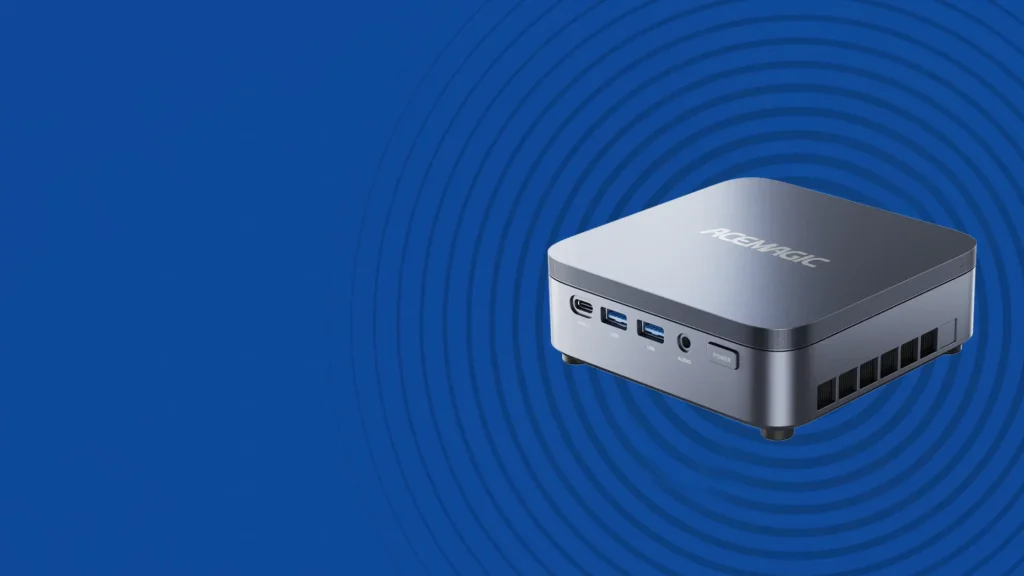
| Connectivity | 4x USB 3.2 Gen2 Type-A, 1x USB 3.2 Gen2 Type-C |
| Display | 1x HDMI 2.0, 1x DisplayPort 1.4b |
| Networking | Gigabit Ethernet, Wi-Fi 6E, Bluetooth 5.2 |
| Dimensions | 128 x 128 x 41.3mm |
| Operating System | Windows 11 |
Reasons to Buy
- Intel Core i9-14900HX with 24 cores is exceptional for CPU-intensive applications
- Outstanding performance in video editing, file compression, and video encoding workloads
- Dual DDR4 SO-DIMM slots and dual M.2 storage slots provide excellent upgrade flexibility
- Tool-accessible internals with four screws and a lock switch make upgrades straightforward
- Wi-Fi 6E provides fast wireless connectivity for demanding network applications
- Compact 128 x 128mm footprint is easy to deploy in tight spaces or server setups
- Excellent homelab candidate for running Proxmox, virtual machines, and personal server workloads
Reasons to Avoid
- Intel UHD integrated graphics significantly trails AMD's Radeon 780M in GPU benchmarks
- Not recommended for gaming due to deliberately scaled-back GPU performance
- Fan can become noticeably loud during sustained heavy CPU workloads
- Front USB ports have been reported to be tight and require care when connecting or removing devices
24 Cores in a Mini PC Chassis
The Intel Core i9-14900HX inside the AceMagic M5 is a genuinely remarkable processor for a machine this size. In Geekbench 6 testing, it outpaces competing mini PCs running the Ryzen 7 6850H and 7735HS by 2,000 to 3,000 points in multicore performance, thanks to its substantially higher core count. For home office users who regularly run tasks like video transcoding, large file compression, running multiple virtual machines simultaneously, or intensive data processing workflows, this level of CPU performance in a compact chassis is a meaningful real-world advantage that translates directly into time saved on every job.
| Workload Type | AceMagic M5 Suitability |
|---|---|
| Video editing and encoding | Excellent, 24 cores provide substantial throughput |
| File compression and archiving | Excellent, heavily benefits from core count |
| Homelab and Proxmox virtualization | Outstanding, ideal for multi-VM deployments |
| Web browsing and office work | More than adequate |
| Gaming | Not recommended, Intel UHD GPU trails AMD equivalents |
| GPU-accelerated creative work | Limited, Intel UHD falls behind AMD’s Radeon iGPU |
Where the M5 Truly Shines
Upgrade Access That Is More User-Friendly Than Most
Best for: Home office professionals who primarily run CPU-intensive applications, homelab enthusiasts who want a compact virtualization server, and power users who need maximum core count in a minimal form factor.
KAMRUI Pinova P2
Specs at a Glance
| Specification | Detail |
|---|---|
| CPU | AMD Ryzen 4300U |
| GPU | Integrated AMD Graphics |
| RAM | 16GB |
| Storage | 512GB SSD |
| Display Outputs | 2x HDMI, 1x VGA (three display support) |
| Connectivity | USB 2.0, USB 3.0, RJ45 Ethernet, 3.5mm audio |
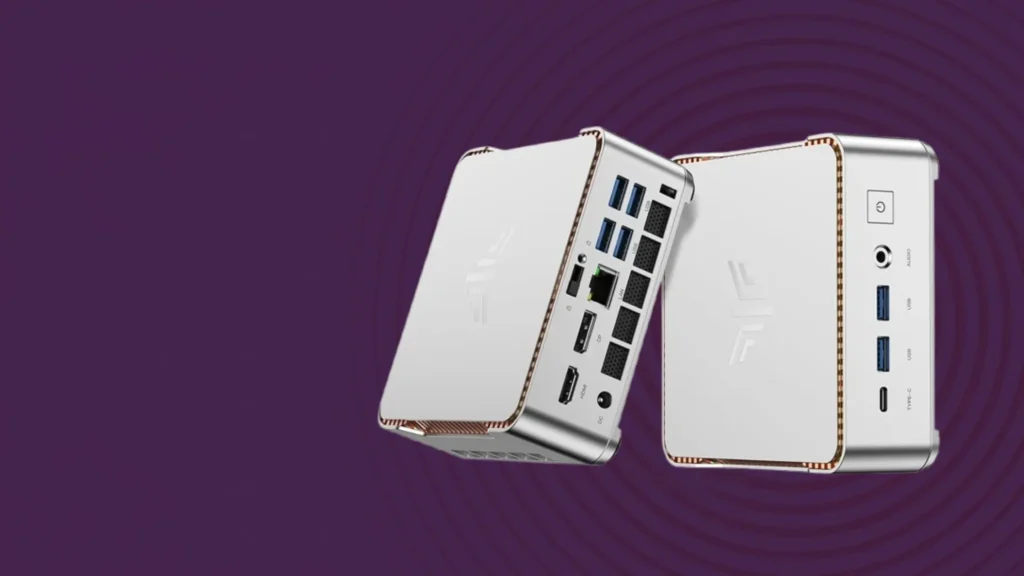
| Mounting | VESA mount compatible with included adapter |
| Physical Size | 5.1 x 5.1 x 1.96 inches |
| Operating System | Windows 11 Home |
Reasons to Buy
- One of the most affordable capable mini PCs available for basic home office use
- Supports up to three displays simultaneously for flexible multi-monitor productivity setups
- VESA mountable with included adapter, disappears completely behind any compatible monitor
- Exceptionally quiet operation even under load, ideal for shared or quiet work environments
- 16GB of RAM provides a solid foundation for web browsing, office applications, and streaming
- 512GB SSD is more storage than most competing budget mini PCs offer at this price point
- Compact all-silver design looks clean and professional without obtrusive branding
- Rubberized feet with bottom ventilation grille keep the system properly cooled on a desk
Reasons to Avoid
- AMD Ryzen 4300U is an entry-level mobile processor with limited performance headroom
- Not suitable for gaming, video editing, or any demanding creative or computational workloads
- USB 2.0 ports are slow by modern standards and limiting for high-speed peripherals
- No Wi-Fi 6 or newer wireless standard, relying on older wireless connectivity
What the Pinova P2 Does Well for Home Office Users
Whisper-Quiet Operation for Shared Workspaces
Three-Display Support and VESA Mounting for a Clean Desk Setup
Who the Pinova P2 Is Designed For
Best for: Budget-conscious home office users, students, light home entertainment setups, and anyone who needs a clean and compact everyday computing solution without demanding performance requirements.
GMKtec G3 Pro
Specs at a Glance
| Specification | Detail |
|---|---|
| CPU | Intel Core i3-10110U (dual-core, 4 threads, 14nm) |
| GPU | Intel UHD Graphics |
| RAM | Up to 16GB DDR4 (dual SO-DIMM slots) |
| Storage | M.2 2280 PCIe (up to 8TB) and M.2 2242 SATA (up to 1TB) |
| Display | 2x HDMI outputs |
| Connectivity | 4x USB 3.2, 1x 2.5GbE Ethernet, Wi-Fi 6, Bluetooth 5.2 |
| Cooling | Copper heat pipe with low-noise fan |
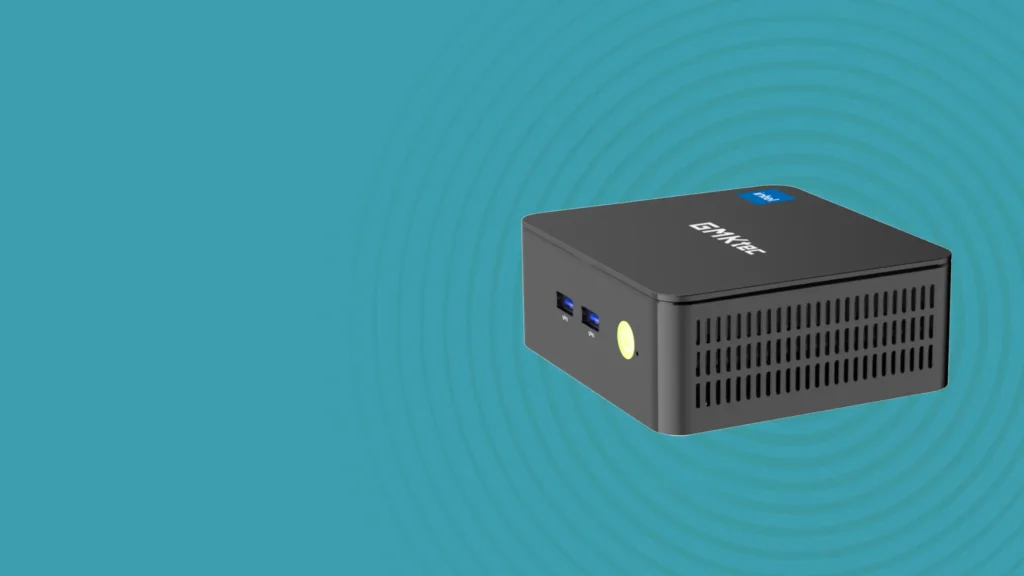
| Dimensions | 114 x 106 x 42.5mm |
| Weight | 260 grams |
Reasons to Buy
- Among the most affordable mini PCs available with dual M.2 storage expansion slots
- 2.5GbE Ethernet port is a standout feature for a budget mini PC and enables fast networking
- Wi-Fi 6 and Bluetooth 5.2 provide modern wireless standards at an entry-level price
- Dual HDMI outputs enable two-monitor setups without any additional adapters
- Tool-free quick-release design makes storage and RAM upgrades accessible to beginners
- Supports up to 8TB of PCIe SSD storage, impressive for a budget compact desktop
- Copper heat pipe cooling keeps temperatures stable during extended use sessions
- Internal anti-roll cage structure adds durability and rigidity for long-term reliability
Reasons to Avoid
- Intel Core i3-10110U is an older 14nm dual-core processor with limited performance headroom
- Not suitable for gaming, video editing, or any computationally demanding workloads
- DDR4 memory rather than the more modern DDR5 found in higher-tier competing systems
- Dual-core CPU design limits multitasking capability compared to quad-core and above options
Everyday Performance in a Palm-Sized Package
Connectivity That Overdelivers for the Price
Dual M.2 Storage Expandability as a Key Differentiator
Who the G3 Pro Is Right For
Best for: Entry-level home office users, media streaming setups, budget-conscious buyers who want expandable storage, and anyone setting up a simple dual-monitor workstation at minimal cost.
Which Is the Best Mini PC for Your Home Office in 2026?
With five mini PCs covering every segment of the market from entry-level budget to no-compromise gaming powerhouse, the right choice comes down entirely to your specific needs, daily workloads, and budget.
| Your Priority | Best Mini PC Pick |
|---|---|
| Best compact gaming and maximum performance | ROG NUC 2025 |
| Best all-round productivity and connectivity | GEEKOM A7 Max |
| Best CPU performance and homelab use | AceMagic M5 |
| Best budget everyday home office machine | KAMRUI Pinova P2 |
| Best entry-level with expandable storage | GMKtec G3 Pro |
For the majority of home office users who want a genuinely capable, well-connected, and upgradeable mini PC that handles everyday productivity and occasional light gaming without compromise, the GEEKOM A7 Max is the single strongest all-round recommendation. Its combination of the Ryzen 9 7940HS processor, Radeon 780M integrated graphics, dual 2.5GbE Ethernet, Wi-Fi 7, four display outputs, and upgradeable non-soldered RAM puts it in a class above most competing options at its tier. For users who need gaming performance in a compact chassis, the ROG NUC 2025 is the clear step up. For CPU-intensive server and workload use, the AceMagic M5 is a compelling specialist. And for buyers on the tightest budgets, both the KAMRUI Pinova P2 and GMKtec G3 Pro offer genuine value for basic everyday computing needs.
For more detailed hands-on reviews of these systems, PCMag’s full ROG NUC 2025 review and PCWorld’s GEEKOM A7 Max analysis are both excellent resources to consult before making your final purchase decision.
Whatever your home office setup and budget, the best mini PC market in 2026 offers a genuinely capable compact computing solution for every type of buyer.