The Best Mobo for 9800X3D for Every Build Type

The Best Mobo for 9800X3D for Every Build Type

Finding the best mobo for 9800X3D builds is one of the most important decisions you will make when putting together a system around AMD’s most capable gaming processor. The Ryzen 7 9800X3D is a chip that rewards proper platform pairing, and choosing the wrong motherboard can leave real performance on the table or create compatibility headaches that undermine the entire build. With X870 and X870E options spanning a wide range of budgets and feature sets, making the right call requires understanding exactly what each board brings to the table.

In this guide we have broken down the three best mobo for 9800X3D pairings available in 2026, covering budget-conscious builds, mid-range configurations, and premium enthusiast setups. Each recommendation draws from hands-on testing and expert analysis from TweakTown, Tom’s Hardware, Vortez, and GeekAWhat to give you the most accurate picture possible before you buy.

What to Look for in the Best Mobo for 9800X3D Builds

The Ryzen 7 9800X3D is a gaming-focused processor with unique characteristics that inform the motherboard selection process. Its 3D V-Cache technology makes it extremely sensitive to memory latency, meaning your board’s memory controller implementation and DDR5 overclocking support directly affects gaming performance in ways that a standard processor would not expose as clearly. The chip also supports full overclocking for the first time in the X3D lineup, making VRM quality and power delivery genuinely relevant considerations rather than theoretical headroom you will never use.
From a platform perspective, both X870 and X870E chipsets are compatible with the 9800X3D. The key difference is that X870E uses dual Promontory 21 chips, providing more PCIe lanes for additional USB4 ports, more M.2 slots, and extra expansion connectivity. X870 uses a single chip and costs less, but is entirely adequate for most single-GPU single-SSD configurations. If you only plan to run one graphics card and two or three storage devices, X870 provides everything you need at a meaningfully lower price.

Best Mobo for 9800X3D in 2026

MotherboardChipsetForm FactorVRM PhasesMax RAM SpeedUSB4 PortsLANBest For
Gigabyte X870 AORUS Elite WiFi7X870ATX16+2+2DDR5-82002x USB42.5GbEBest value build
MSI MPG X870E Carbon WiFiX870EATX18+2+1DDR5-84002x USB45GbE + 2.5GbEBest mid-range feature set
ASRock X870E TaichiX870EE-ATX27 phaseDDR5-82002x USB45GbEBest premium enthusiast build
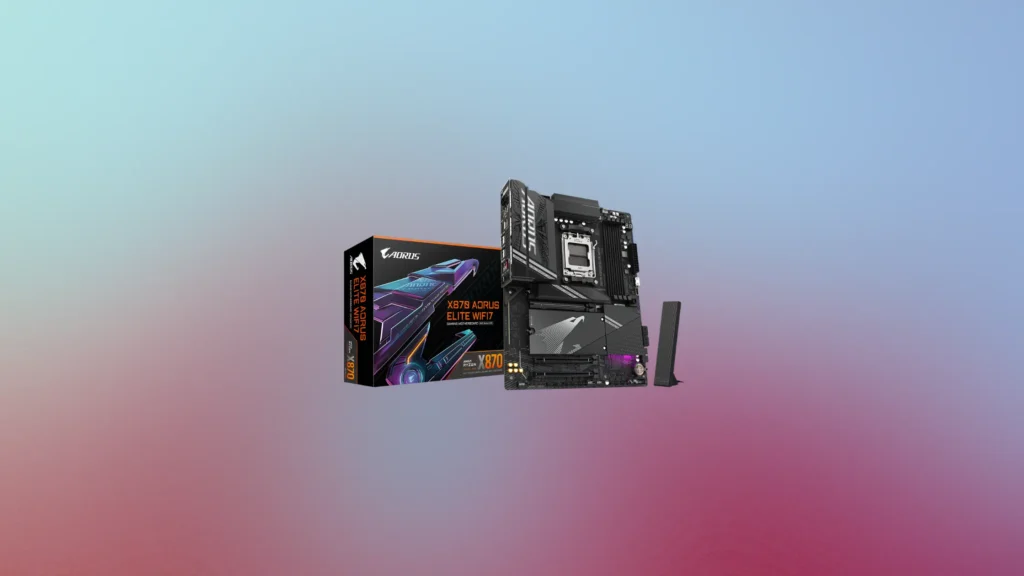
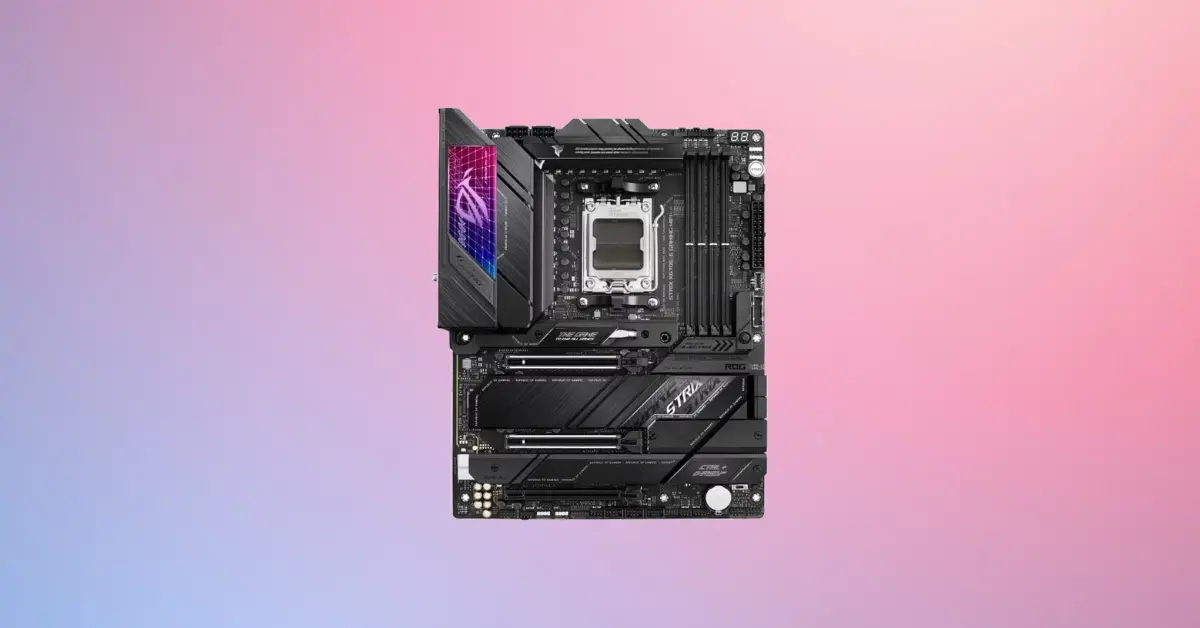
Best Mobo for 9800X3D - Gigabyte X870 AORUS Elite WiFi7
"Best Mobo for 9800X3D"

Gigabyte X870 AORUS Elite WiFi7

Specs at a Glance


SpecificationDetail
ChipsetX870
Form FactorATX
VRM Configuration16+2+2 phase, 60A stages
Supported MemoryDDR5 up to 8200 MT/s, 256GB max
PCIe x16 Slots1x PCIe 5.0, 1x PCIe 4.0
M.2 Slots3x PCIe 5.0, 1x PCIe 4.0
USB42x USB4 Type-C (rear)
Rear USB Total12 ports
LAN2.5GbE
WirelessWi-Fi 7
AudioRealtek ALC1220, Optical S/PDIF
ARGB Headers3x ARGB, 1x RGB

Reasons to Buy

Reasons to Avoid

The Best Mobo for 9800X3D on a Budget

For builders who want a capable and genuinely well-equipped best mobo for 9800X3D pairing without spending more than necessary, the Gigabyte X870 AORUS Elite WiFi7 is the clear recommendation at the value end of the spectrum. As TweakTown confirmed in their comprehensive review, GIGABYTE has set an aggressive price for the X870 Elite WiFi7, and they explicitly asked whether you really need to pay more if you want to power your system into 2025 and beyond. That question is genuinely worth sitting with before spending extra on an X870E board for features you may never fully use.

Three PCIe 5.0 M.2 Slots

The specification that most distinguishes the X870 AORUS Elite WiFi7 from competing boards at its price tier is the inclusion of three PCIe 5.0 M.2 slots. Most X870 boards and even some X870E alternatives offer only one or two Gen5 M.2 connections, meaning the Elite WiFi7 provides significantly more high-speed storage expansion capacity than similarly priced alternatives. For builders who plan to run multiple fast SSDs, this is a meaningful practical advantage. The primary M.2 slot also features a notably high-quality heatsink that TweakTown specifically called out as better than expected given the board’s price positioning.

Adequate and Well-Cooled

The 16+2+2 phase VRM using 60A stages is not the most powerful implementation available in the X870 ecosystem, but TweakTown’s testing confirmed it handled sustained all-core workloads on a Ryzen 9 9950X without thermal issues. For the Ryzen 7 9800X3D specifically, which operates at a 120W TDP, the Elite WiFi7’s power delivery provides comfortable headroom for both stock operation and Precision Boost Overdrive use. Builders who want to push extreme manual overclocking to the absolute limits will want to look at boards with more aggressive VRM configurations, but for PBO and everyday gaming use the Elite WiFi7 is more than sufficient.

The BIOS and Usability Experience

TweakTown noted GIGABYTE’s BIOS as familiar and well-organized for anyone who has owned a GIGABYTE board in recent years, with an attractive color scheme and most options easy to find. Boot times were responsive in testing, and the BIOS Flashback feature is present for updating firmware without needing an installed CPU, which is particularly valuable for future CPU compatibility on the AM5 platform.
Best for: Budget-conscious builders who want a feature-complete X870 foundation for the Ryzen 7 9800X3D with three PCIe 5.0 M.2 slots and Wi-Fi 7 without overspending on platform features they will not use.
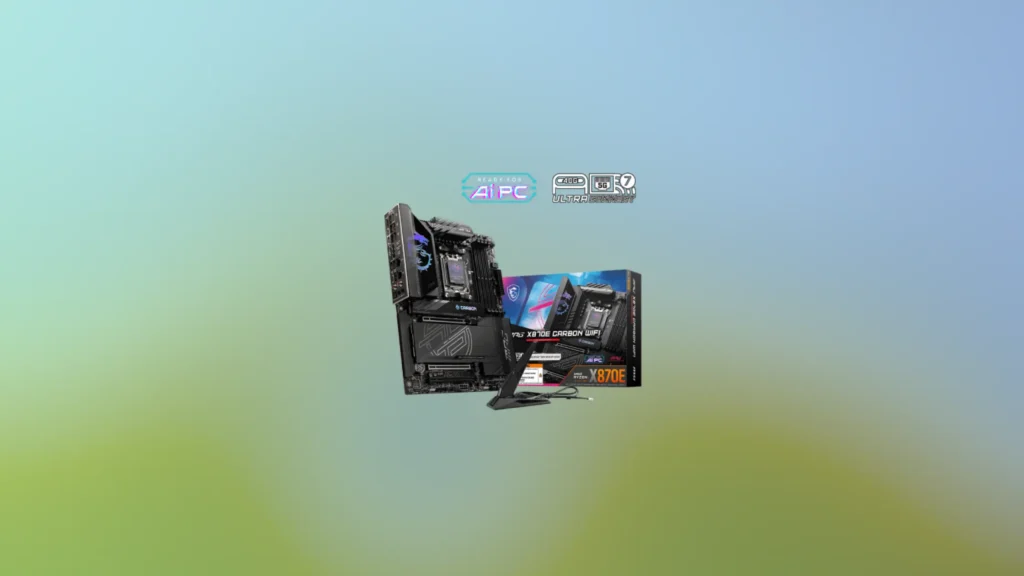
Best Mobo for 9800X3D - MSI MPG X870E Carbon WiFi
"Best Mobo for 9800X3D"

MSI MPG X870E Carbon WiFi

Specs at a Glance

SpecificationDetail
ChipsetX870E
Form FactorATX
VRM Configuration18+2+1 phase
Supported MemoryDDR5 up to 8400 MT/s, 256GB max
PCIe x16 Slots2x PCIe 5.0, 1x PCIe 4.0
M.2 Slots2x PCIe 5.0, 2x PCIe 4.0
USB42x USB4 Type-C (rear)
Rear USB Total13 ports, all USB 3.2 or faster
LAN5GbE + 2.5GbE dual LAN
WirelessWi-Fi 7
AudioOptical S/PDIF, 2x audio jacks
Tool-lessYes, M.2 heatsinks and GPU slot

Reasons to Buy

Reasons to Avoid

The Best Mobo for 9800X3D Mid-Range Builds

For builders who want to step up to the X870E chipset’s expanded connectivity without going all the way to a flagship enthusiast board, the MSI MPG X870E Carbon WiFi is the most complete mid-range mobo for 9800X3D pairing available. As Vortez confirmed in their review, the great strength of MSI’s design is its usability, and the premium touches can be appreciated by PC building novices and enthusiasts alike, which is the hallmark of a genuinely customer-focused approach to motherboard design.

The Usability Advantage

The most immediately practical differentiator between the MSI MPG X870E Carbon WiFi and competing boards in its class is its comprehensive tool-less design philosophy. Both the M.2 heatsinks and the primary GPU slot release feature tool-less mechanisms that make installing and removing storage devices and graphics cards dramatically more convenient compared to screwdriver-dependent alternatives. For builders who anticipate upgrading components over the lifetime of their system, or who simply want the build and maintenance process to be as straightforward as possible, this tool-less approach is a genuine quality-of-life advantage that accumulates benefit over years of ownership.

No USB 2.0 in Sight

One of the most appreciated specifications in the Carbon WiFi’s design is its complete absence of USB 2.0 on the rear IO panel. Where competing boards including the Gigabyte X870 AORUS Elite WiFi7 include USB 2.0 ports as part of their rear connectivity, every port on the MSI MPG X870E Carbon WiFi is USB 3.2 or faster. The 13 rear ports comprise two USB4 Type-C, nine USB 3.2 Gen2 Type-A, and two USB 3.2 Gen2 Type-C, providing exceptional port density and speed uniformity that builders with many peripherals and external devices will genuinely appreciate.

A Feature the Others Do Not Match

The MSI MPG X870E Carbon WiFi’s dual LAN configuration with a 5GbE port alongside a 2.5GbE port is a connectivity specification that neither the Gigabyte X870 AORUS Elite WiFi7 nor the ASRock X870E Taichi in the same price window can match. For network-attached storage users, content creators who regularly transfer large files over a local network, or home server enthusiasts who want maximum throughput, the 5GbE port provides meaningfully faster wired data transfer than 2.5GbE alternatives. Combined with Wi-Fi 7 for wireless connectivity, the MPG X870E Carbon WiFi covers every networking scenario comprehensively.

The X870E Advantage for Multi-Device Builds
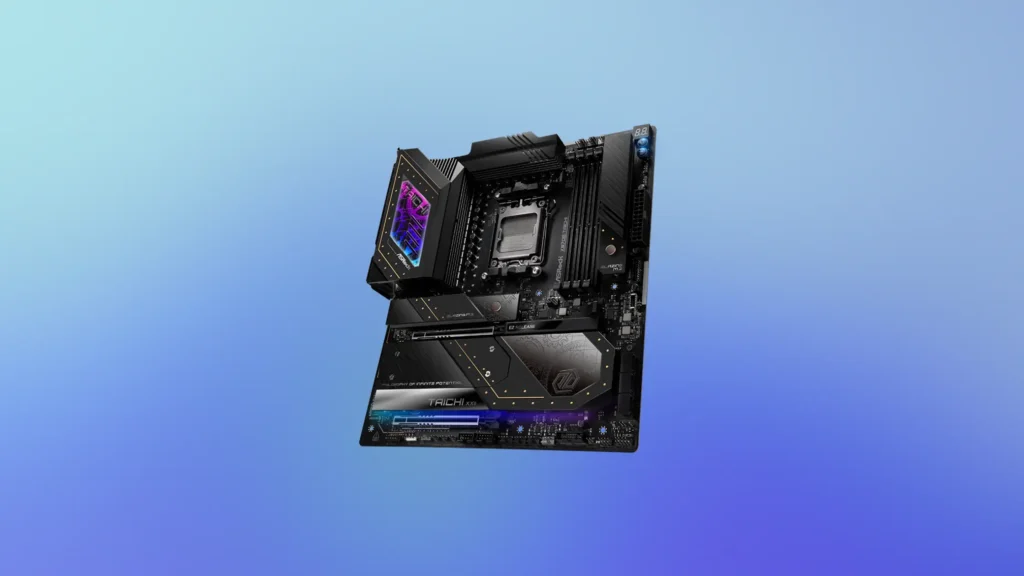
The MPG X870E Carbon WiFi’s dual-chipset X870E platform provides the additional PCIe lanes that make it meaningfully more capable than X870 alternatives for builders who want to use multiple M.2 drives, additional USB4 devices, and multiple graphics cards simultaneously. GeekAWhat confirmed in their buyer’s guide that if the additional IO options afforded by the dual-chipset X870E design are factors you will reasonably use, they absolutely should be considered. The Carbon WiFi makes those features accessible at a price that is high but not extreme relative to the capability it provides.
Best for: Mid-range to high-end builders who want X870E’s expanded connectivity, an all-high-speed rear IO without USB 2.0, dual LAN for demanding network scenarios, and a clean blacked-out aesthetic that works with any dark build theme.
Best Mobo for 9800X3D - ASRock X870E Taichi
"Best Mobo for 9800X3D"

ASRock X870E Taichi

Specs at a Glance


SpecificationDetail
ChipsetX870E
Form FactorE-ATX (12 x 10.5 inches)
VRM Configuration27 phase (24x 110A SPS MOSFETs for Vcore)
Supported MemoryDDR5 up to 8200 MT/s, 256GB max
PCIe x16 Slots2x PCIe 5.0, 1x PCIe 4.0
M.2 Slots1x PCIe 5.0, 3x PCIe 4.0
USB42x USB4 Type-C (rear)
Rear USB Total12 ports
LAN5GbE
WirelessWi-Fi 7
AudioRealtek ALC4082 with ESS Sabre9219 DAC
Active VRM CoolingYes
Thermistor Headers3 included

Reasons to Buy

Reasons to Avoid

The Best Mobo for 9800X3D in Premium Enthusiast Builds

For builders who want the absolute best foundation for their Ryzen 7 9800X3D build without compromise on power delivery, audio quality, or long-term stability, the ASRock X870E Taichi is the definitive enthusiast recommendation. As Tom’s Hardware confirmed in their full review, this board is priced less than the previous-generation X670E Taichi it replaces, more DIY-friendly, and offers 12 total USB ports on the rear IO, making it a clear value proposition even at the premium end of the X870E market. GeekAWhat’s buyers guide names it the top pick for the Ryzen 7 9800X3D for exactly these reasons.

Industry-Leading Power Delivery

The ASRock X870E Taichi’s 27-phase VRM powered by 24 Renesas R2209004 SPS MOSFETs in a teamed configuration is the most powerful power delivery system of any board in this comparison and one of the most capable available on the AM5 platform. Tom’s Hardware calculated 2,640A of total available current, which they described as one of the highest values recorded in their testing, noting that this headroom ensures you are limited by cooling only rather than by the motherboard’s power delivery when attempting overclocks.
For the Ryzen 7 9800X3D specifically, this level of VRM capability means the board is not just adequate for the chip’s 120W rated TDP but is genuinely designed to extract the maximum performance AMD’s silicon can deliver through aggressive PBO tuning, curve optimizer adjustments, and any future overclocking methods AMD may enable for the X3D architecture. The active cooling on the VRM heatsink removes thermal throttling as a concern even during prolonged all-core workloads.

The Best Implementation on Any AM5 Board

Tom’s Hardware specifically highlighted the X870E Taichi’s audio section as one of the better audio implementations available on the AM5 platform, combining the flagship Realtek ALC4082 codec with an ESS Sabre9219 DAC chip. The ESS Sabre DAC is a component familiar to audiophiles as a high-end audio processing component typically associated with dedicated digital-to-analog conversion hardware rather than motherboard implementations. For builders who use high-quality headphones directly from the motherboard’s rear audio jack, the combination of the Realtek codec and Sabre DAC provides noticeably cleaner and more detailed audio output than the standard Realtek-only implementations found in competing boards.

DIY Friendly by Design

Tom’s Hardware praised the X870E Taichi for its collection of DIY-friendly features that distinguish it from boards designed primarily around specification checklists. Three thermistor cables are included in the box for monitoring temperatures across different points in the system, which is an enthusiast tool that most competing boards do not include. BIOS Flashback allows firmware updates without an installed CPU, which is essential for AM5 platform longevity as future processor generations require updated BIOS versions. The tool-less primary M.2 heatsink and EZ-release latches on the PCIe 5.0 slot reduce the friction of system building and maintenance considerably.

The E-ATX Consideration

The one specification that buyers must verify before purchasing the X870E Taichi is its E-ATX form factor at 12 by 10.5 inches. Standard ATX mid-tower cases accommodate boards up to 12 by 9.6 inches, which means the Taichi’s extra width may not fit in all cases without checking manufacturer specifications first. Tom’s Hardware flagged this as the board’s primary limitation for some builders, and E-ATX requires a case that explicitly lists E-ATX support. For builders already planning a full-tower or larger mid-tower with E-ATX compatibility, this is a non-issue. For builders with existing cases, case compatibility must be verified before purchase.
Best for: Enthusiast builders who want the best possible power delivery, the most capable audio solution, maximum overclocking headroom, and comprehensive DIY-friendly features in a premium best mobo for 9800X3D pairing, and who are using an E-ATX compatible case.

Which Is the Best Mobo for 9800X3D for Your Build?

With three outstanding Best Mobo for 9800X3D, X870 and X870E motherboards covering every build type from budget value to premium enthusiast, the right mobo for 9800X3D pairing depends entirely on your build goals, budget, and case compatibility.

Your Build TypeBest Mobo for 9800X3D
Budget value with maximum storageGigabyte X870 AORUS Elite WiFi7
Mid-range with best usability and dual LANMSI MPG X870E Carbon WiFi
Premium enthusiast with maximum overclocking headroomASRock X870E Taichi

For most Ryzen 7 9800X3D builders who want to optimize their build for gaming performance without unnecessary spending on platform features, the Gigabyte X870 AORUS Elite WiFi7 represents the most sensible starting point. It provides everything the 9800X3D needs to perform at its best, three PCIe 5.0 M.2 slots that most competitors cannot match at this price, Wi-Fi 7, and USB4, all at a price that leaves budget for a better GPU or more RAM.

For builders who want X870E’s expanded connectivity and the assurance of a completely modern high-speed rear IO alongside dual LAN networking, the MSI MPG X870E Carbon WiFi justifies its premium with thoughtful design decisions and practical usability improvements that accumulate benefit over years of ownership.

And for builders who want the absolute best foundation money can buy for a Ryzen 7 9800X3D system, the ASRock X870E Taichi delivers unmatched power delivery, the best audio solution on the platform, comprehensive enthusiast features, and pricing that undercuts its direct competition while delivering more in every meaningful performance and quality category. Don’t Forget to check out best CPUs for gaming as well.
More Recommendations

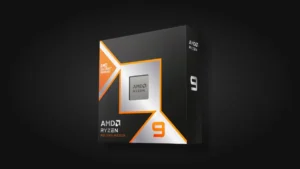
Ryzen 9 9950X3D

AMD Ryzen 9 9950X3D 16-Core Processor

Nvidia GeForce RTX 5090

AMD Ryzen 9 9950X3D 16-Core Processor

Best Wireless Gaming Mouse - Logitech G703 Lightspeed

Logitech G703 Lightspeed Wireless Gaming Mouse

ASUS ROG Swift PG27AQDM_

ASUS ROG Swift 27”1440P OLED DSC Gaming Monitor PG27AQDM

Share the Post:

Related Posts

Scroll to Top