Choosing the best wireless gaming mouse in 2026 is no longer a compromise between performance and convenience. The days of tolerating input lag or dead batteries mid-match are firmly behind us. Today’s wireless gaming mice match or exceed their wired counterparts in sensor accuracy, polling rate, and click responsiveness, while delivering battery lives measured in days, weeks, or even months depending on the model you choose.
Whether you are a competitive FPS player who demands sub-millisecond precision, a casual gamer who wants a reliable daily driver without cable clutter, or a budget-focused buyer looking for the best wireless gaming mouse that does not drain your wallet, this guide has a recommendation for every type of player. We have drawn from hands-on reviews published by trusted outlets including Tom’s Hardware, PCMag, PCWorld, and TechRadar to give you the most accurate and reliable purchasing advice available.
Why a Wireless Gaming Mouse Is Worth It in 2026
Best Wireless Gaming Mouse in 2026
| Mouse | Weight | Sensor | Max DPI | Polling Rate | Battery Life | Best For |
|---|---|---|---|---|---|---|
| Logitech G PRO X Superlight 2 | 60g | Hero 2 | 32,000 | 2,000 Hz | 95 hours | Best overall competitive |
| Logitech G PRO X Superlight | 63g | Hero 25K | 25,000 | 1,000 Hz | 70 hours | Premium esports value |
| Corsair Sabre v2 PRO Ultralight | 36g | Marksman S | 33,000 | 8,000 Hz | 70 hours | Lightest option available |
| Razer DeathAdder V3 HyperSpeed | 55g | Razer Focus Pro | 26,000 | 1,000 Hz | 100 hours | Ergonomic wireless |
| Razer DeathAdder V4 Pro | 64g | Razer Focus Pro | 30,000 | 8,000 Hz | 90 hours | Premium ergonomic flagship |
| Logitech G305 Lightspeed | 99g | Hero | 12,000 | 1,000 Hz | 250 hours | Best budget battery life |
| Logitech G703 Lightspeed | 95g | Hero 25K | 25,600 | 1,000 Hz | 35-60 hours | Full-size ergonomic grip |
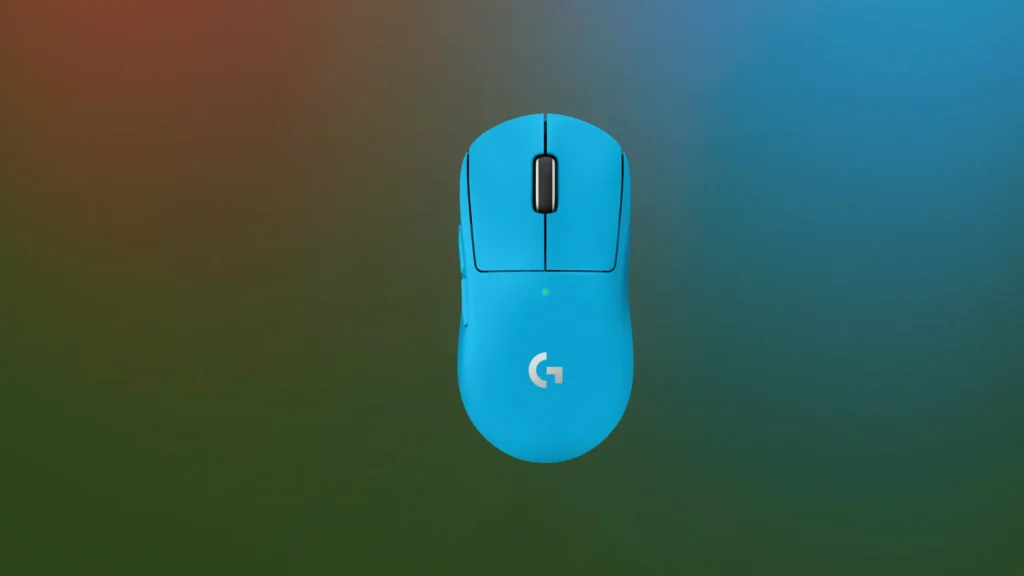
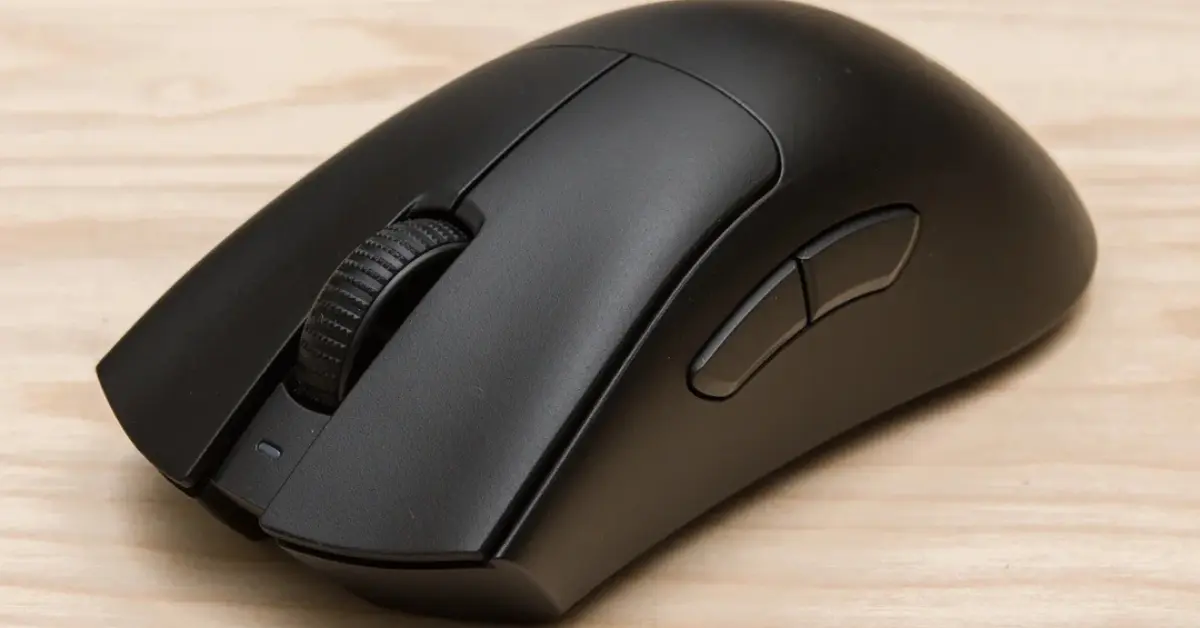
Logitech G PRO X Superlight 2
Specs at a Glance
| Specification | Detail |
|---|---|
| Sensor | Logitech Hero 2 |
| Max DPI | 32,000 |
| Max Speed | 500 IPS |
| Max Acceleration | 40G |
| Polling Rate | Up to 2,000 Hz |
| Weight | 60g |
| Buttons | 5 |
| Battery Life | Up to 95 hours |
| Connectivity | 2.4GHz wireless, wired via USB-C adapter |
| Feet | 100% PTFE |
| Dimensions | 4.92 x 2.5 x 1.57 inches |
Reasons to Buy
- Lighter than its predecessor at 60g, making it genuinely effortless to move during extended sessions
- Hero 2 sensor delivers sub-micron precision with 32,000 DPI and 500 IPS maximum speed
- Doubled polling rate at 2,000 Hz over the original Superlight for improved responsiveness
- Lightforce Hybrid switches combine optical speed with mechanical power efficiency
- 100% PTFE feet coverage provides exceptionally smooth and consistent gliding
- 95 hours battery life is class-leading for a mouse at this performance tier
- Symmetrical design with medium palm curve suits a wide range of hand sizes and grip styles
- Logitech G Hub software enables onboard profile storage and deep customization
Reasons to Avoid
- Premium pricing puts it at the upper end of the wireless gaming mouse market
- Scroll wheel feels slightly light and flimsy compared to competing flagship mice
- Right-handed only design excludes left-handed players entirely
- No Bluetooth connectivity limits versatility for multi-device setups
The Hero 2 Sensor
Weight Reduction That Makes a Real Difference
Lightforce Hybrid Switches
Who Should Buy the Logitech G PRO X Superlight 2
Best for: Serious competitive FPS gamers, esports players, and enthusiasts who want the best wireless gaming mouse performance available regardless of price.
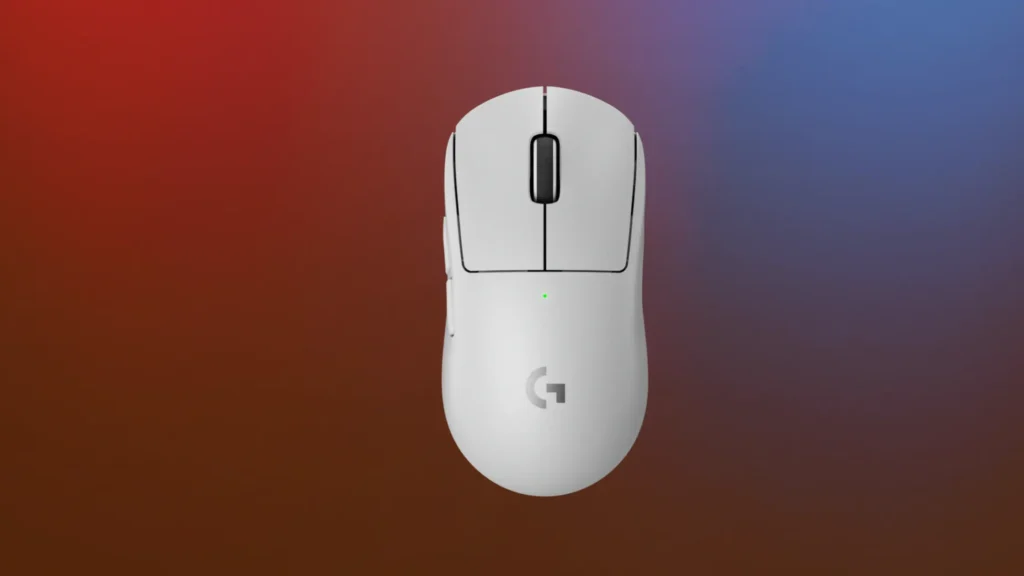
Logitech G PRO X Superlight
Specs at a Glance
| Specification | Detail |
|---|---|
| Sensor | Logitech Hero 25K |
| Max DPI | 25,000 |
| Max Speed | 400 IPS |
| Max Acceleration | 40G |
| Polling Rate | Up to 1,000 Hz |
| Weight | 63g |
| Buttons | 5 |
| Battery Life | Up to 70 hours |
| Connectivity | 2.4GHz wireless, wired USB |
| Feet | PTFE with extra panel included |
| Dimensions | 4.94 x 2.5 x 1.56 inches |
Reasons to Buy
- Hero 25K sensor is one of the most respected and accurate gaming sensors available
- 63g weight places it firmly in ultralight territory while feeling substantial and premium
- Simple five-button design keeps the mouse focused on pure performance without distractions
- Extra PTFE base panel included for even smoother gliding on demanding surface conditions
- Wireless dongle storage built into the underside panel for tidy travel and portability
- G Hub software provides complete customization with onboard memory for profile storage
- Available in both black and white colorways to suit different desk aesthetics
Reasons to Avoid
- 70-hour battery life trails some competing mice at this price tier
- Wireless charging requires Logitech's Powerplay mousepad which is a significant additional purchase
- Proprietary Micro-USB charging port rather than the more convenient USB-C standard
- Flat profile with minimal contouring may cause discomfort during very extended sessions
The Hero 25K Sensor in Real-World Use
Weight and Build That Define Ultralight Wireless
Who Should Buy the G PRO X Superlight
Best for: Competitive gamers who want proven ultralight wireless performance at a more accessible price point than the flagship Superlight 2.
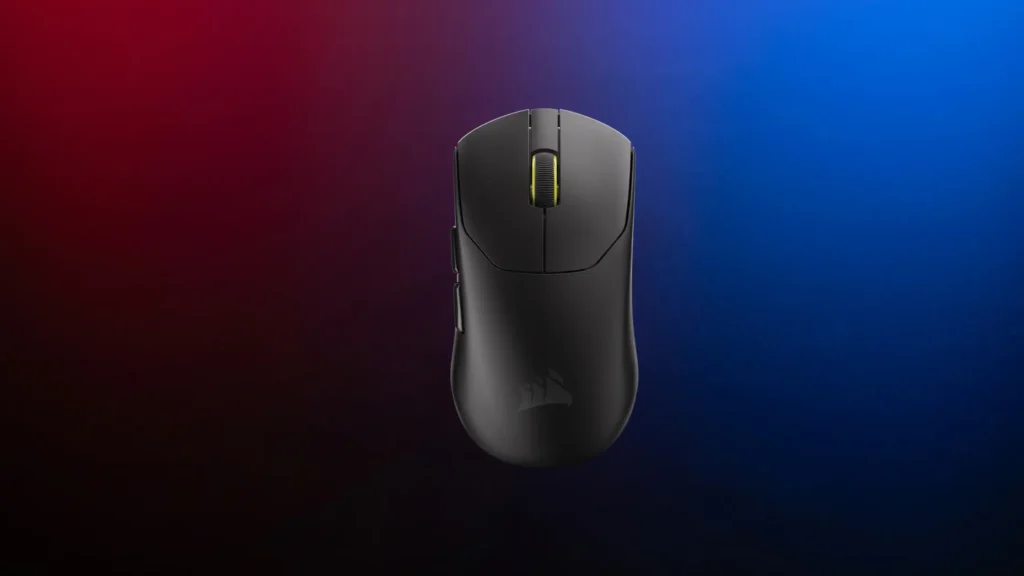
Corsair Sabre v2 PRO
Specs at a Glance
| Specification | Detail |
|---|---|
| Sensor | Corsair Marksman S |
| Max DPI | 33,000 |
| Max Speed | 750 IPS |
| Max Acceleration | 50G |
| Polling Rate | Up to 8,000 Hz |
| Weight | 36g |
| Buttons | 5 |
| Battery Life | 70 hours at 1,000 Hz / 16 hours at 8,000 Hz |
| Connectivity | 2.4GHz wireless, wired |
| Dimensions | 4.69 x 2.46 x 1.5 inches |
| Switches | Custom Corsair mechanical, rated 100 million clicks |
Reasons to Buy
- At only 36g, it is one of the lightest wireless gaming mice ever produced
- Marksman S sensor delivers 33,000 DPI and 750 IPS, among the highest specs available
- 8,000 Hz polling rate support provides maximum possible update frequency for competitive use
- Pre-cut grip tape and extra mouse skates included in the box for immediate personalization
- Notched scroll wheel and custom mechanical switches rated for 100 million clicks
- UPE mouse feet provide an exceptionally smooth glide experience on a wide range of surfaces
- Available in both white and black to match different desk setups
Reasons to Avoid
- 36g weight feels almost insubstantial and may not suit players who prefer a more solid feeling mouse
- Very small form factor may feel cramped for users with larger hands despite being usable
- Settings require Corsair's web-based hub rather than standalone software, requiring internet access
- No dedicated DPI or profile switching buttons on the mouse body itself
- Battery life drops dramatically to just 16 hours at the maximum 8,000 Hz polling rate
36 Grams: What That Actually Feels Like
The Marksman S Sensor and 8,000 Hz Polling
The Web-Based Software Limitation
Best for: Players who want the absolute lightest wireless gaming mouse available and prioritize weight reduction above all other specifications.
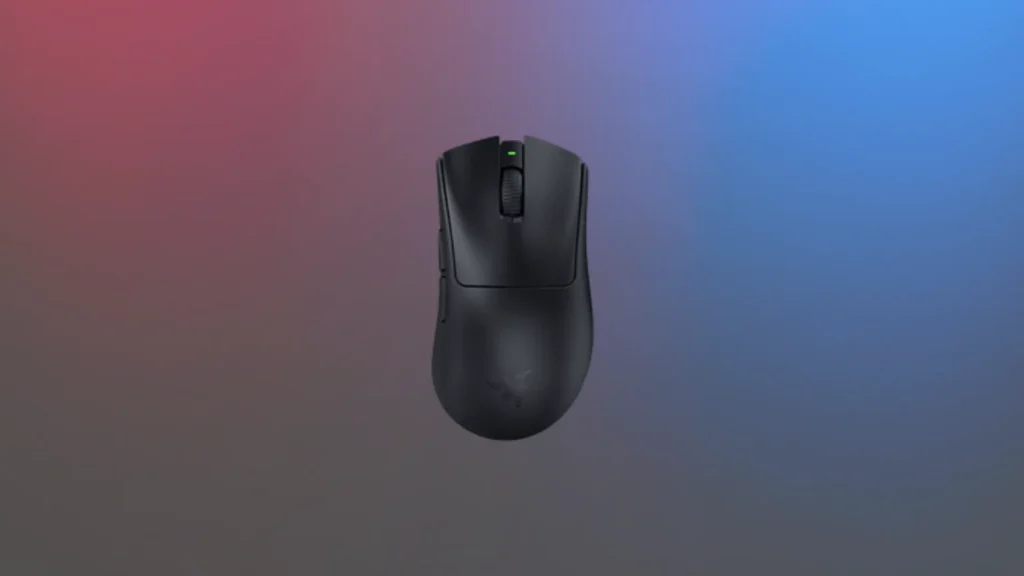
Razer DeathAdder V3
Specs at a Glance
| Specification | Detail |
|---|---|
| Sensor | Razer Focus Pro |
| Max DPI | 26,000 |
| Max Speed | Not specified |
| Polling Rate | 1,000 Hz (8,000 Hz with optional HyperPolling dongle) |
| Weight | 55g |
| Buttons | 6 |
| Battery Life | Up to 100 hours |
| Connectivity | 2.4GHz HyperSpeed wireless, wired USB-C |
| Switches | Razer Optical Mouse Switches Gen-3 |
| Ergonomics | Right-handed asymmetrical |
Reasons to Buy
- Up to 100-hour battery life is the longest of any mouse on this list at standard polling rate
- Razer Gen-3 optical switches deliver extremely fast actuation with no debounce delay
- Semi-ergonomic rightward slope provides a more natural hand position for many right-handed users
- 55g weight is impressively light for a full-size ergonomic wireless mouse
- Large PTFE skates cover significant surface area for smooth gliding on compatible mouse pads
- Razer Synapse software includes Dynamic Sensitivity and angle rotation customization features
- USB-C charging provides universal cable compatibility for convenient charging
- Upgrading to 8,000 Hz polling is possible via the separately sold HyperPolling dongle
Reasons to Avoid
- Asymmetrical ergonomic shape will not suit every hand size or grip style equally
- Right-handed only design excludes left-handed players entirely
- No Bluetooth connectivity limits versatility for multi-device setups
- Missing some advanced software tweaks including slam click filter and lift-off distance adjustment
- Middle click feedback can feel inconsistent in the heat of fast-paced gaming moments
100-Hour Battery Life
Ergonomic Design That Rewards the Right Grip
Razer Optical Switches and Consistent Connectivity
Best for: Right-handed ergonomic mouse users who want long battery life, solid competitive performance, and a comfortable semi-ergonomic shape at a competitive price point.
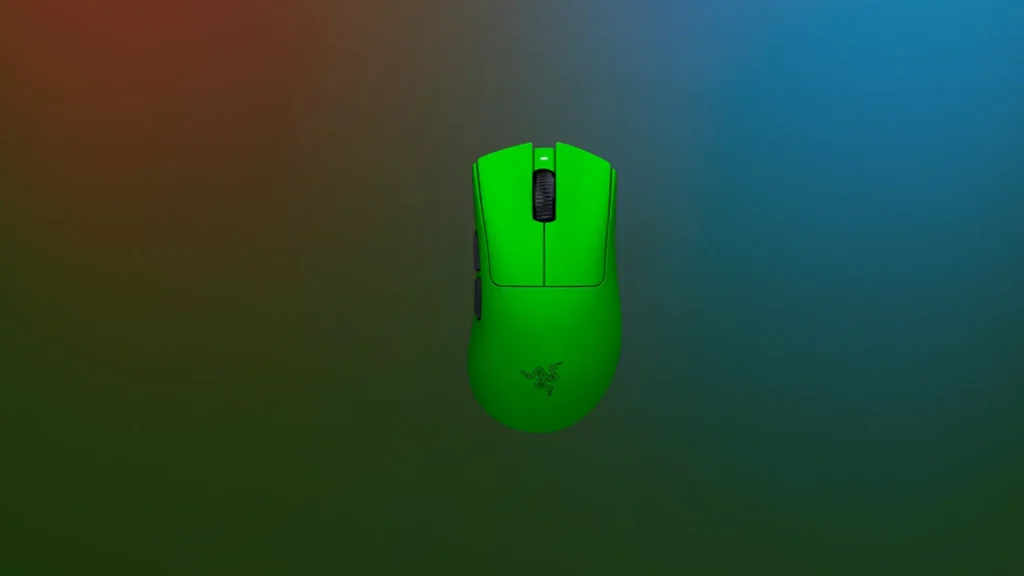
Razer DeathAdder V4 Pro
Specs at a Glance
| Specification | Detail |
|---|---|
| Sensor | Razer Focus Pro |
| Max DPI | 30,000 |
| Max Speed | Higher than V3 HyperSpeed |
| Polling Rate | Up to 8,000 Hz |
| Weight | 64g |
| Buttons | 6 |
| Battery Life | Up to 90 hours |
| Connectivity | 2.4GHz HyperSpeed wireless, wired USB-C |
| Switches | Razer Optical Mouse Switches Gen-3 |
| Ergonomics | Right-handed asymmetrical |
Reasons to Buy
- Upgraded Focus Pro sensor with 30,000 DPI outperforms the V3 HyperSpeed's specification
- Native 8,000 Hz polling rate support without requiring a separately purchased dongle
- Premium ergonomic shape refined from the proven DeathAdder lineage for exceptional comfort
- Optical Gen-3 switches deliver fast and reliable actuation across tens of millions of clicks
- 90-hour battery life remains class-leading even with the upgraded specifications
- USB-C charging for universal cable compatibility
- TechRadar rates the DeathAdder V3 Pro as the best wireless gaming mouse they have tested
Reasons to Avoid
- More expensive than the V3 HyperSpeed for an incremental rather than generational improvement
- Heavier than ultralight competitors at 64g
- Right-handed only design excludes left-handed players
- Asymmetric ergonomic shape remains polarizing among players with different grip preferences
Sensor and Polling Rate Upgrades Over the V3 HyperSpeed
The Ergonomic Shape That Has Won Over Competitive Players
Best for: Ergonomic mouse enthusiasts who want the best sensor performance, native high polling rate, and the most refined DeathAdder design in a premium wireless package.
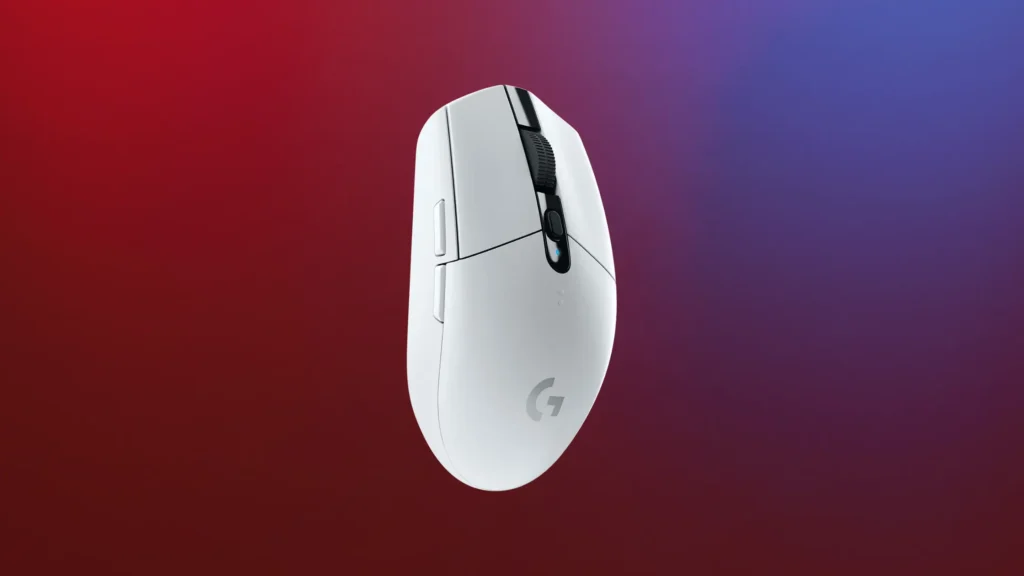
Logitech G305 Lightspeed
Specs at a Glance
| Specification | Detail |
|---|---|
| Sensor | Logitech Hero |
| Max DPI | 12,000 |
| Max Speed | Not specified |
| Polling Rate | Up to 1,000 Hz |
| Weight | 99g (with AA battery) |
| Buttons | 6 |
| Battery Life | Up to 250 hours (9 months in real-world testing) |
| Connectivity | 2.4GHz Lightspeed wireless |
| Power Source | Single AA battery |
| Ergonomics | Right-handed symmetrical |
Reasons to Buy
- Up to 250-hour battery life from a single AA battery is unmatched by any competing wireless mouse
- Real-world battery longevity of around 3 months at 6 to 12 hours daily use has been independently confirmed
- Logitech Hero sensor is accurate, clean, and efficient with no smoothing or filtering applied
- Always have a spare battery available since AA batteries are universally available everywhere
- Affordable price point makes it one of the best value wireless gaming mice available
- Simple and solid build quality with no unnecessary features that add weight or cost
- 1,000 Hz polling rate provides the same responsiveness as most competing gaming mice
Reasons to Avoid
- 99g weight is the heaviest mouse on this list due to the AA battery
- 12,000 DPI maximum is lower than every other mouse on this guide
- No RGB lighting or advanced aesthetic features for players who care about desk aesthetics
- No rechargeable battery means ongoing AA battery purchases are required over time
- Symmetrical but right-handed button layout may not suit left-handed players optimally
250 Hours of Battery Life
Accurate and Efficient
Who the G305 Is Right For
Best for: Budget-focused gamers, players who prioritize battery longevity above all else, and anyone who wants a no-nonsense wireless gaming mouse that just works without ever needing to be charged.
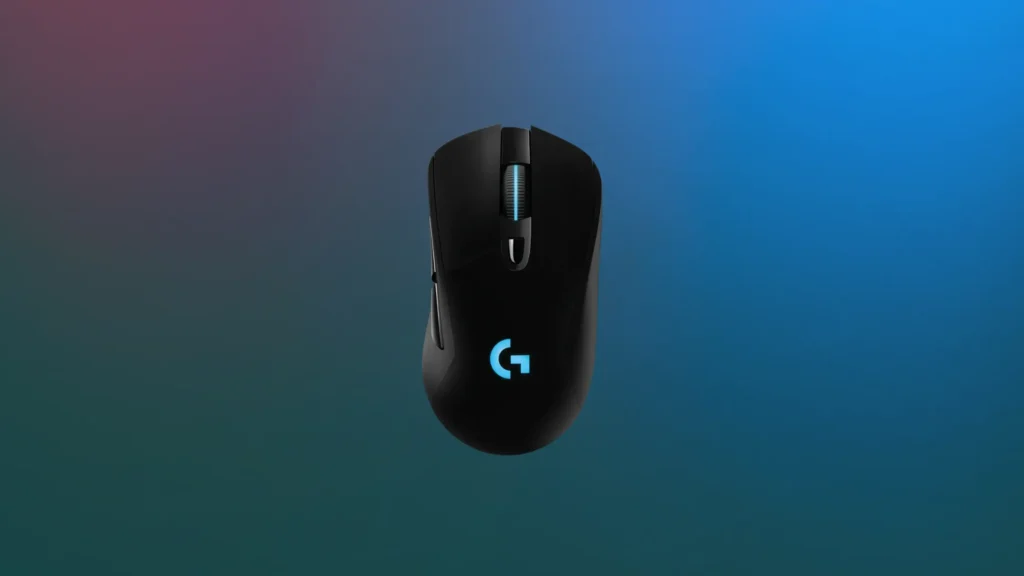
Logitech G703 Lightspeed
Specs at a Glance
| Specification | Detail |
|---|---|
| Sensor | Logitech Hero 25K |
| Max DPI | 25,600 |
| Polling Rate | Up to 1,000 Hz |
| Weight | 95g base (105g with optional 10g weight insert) |
| Buttons | 6 |
| Battery Life | 35 hours with RGB / up to 60 hours without RGB |
| Connectivity | 2.4GHz Lightspeed wireless, wired Micro-USB |
| Ergonomics | Right-handed asymmetrical |
| Optional Weight | Removable 10g insert included |
Reasons to Buy
- Hero 25K sensor delivers accurate and clean tracking at up to 25,600 DPI
- Full-size body with ergonomic slope suits players who prefer a palm-engulfing grip style
- Removable 10g weight insert allows customization of mouse feel to personal preference
- Logitech G Hub software provides broad customization with macro and profile support
- Trident-design USB cable with extra security prongs prevents accidental disconnection in wired mode
- Large side buttons with snappy actuation are easy to reach and press accurately
- Subtle RGB lighting adds visual personality without being overwhelming
Reasons to Avoid
- 95g base weight is significantly heavier than most competing wireless gaming mice
- Battery life of 35 to 60 hours trails competing mice at the same price point considerably
- Sloping ergonomic body design is divisive and may require grip style adjustment for some players
- Scroll wheel can trigger accidentally when pressing middle click due to sensitivity
- Micro-USB charging rather than the more modern and convenient USB-C standard
Performance for Palm Grip Players
The Weight and Shape Trade-off
Best for: Palm grip players who prefer heavier, full-size wireless mice with proven sensor accuracy and the flexibility to add additional weight via the included insert.
Final Verdict
With seven wireless gaming mice covering every performance tier, grip style, weight preference, and budget, the right choice comes down entirely to your gaming priorities and the way you naturally hold and use a mouse.
| Your Priority | Best Wireless Gaming Mouse |
|---|---|
| Best overall competitive performance | Logitech G PRO X Superlight 2 |
| Premium performance at better value | Logitech G PRO X Superlight |
| Absolute lightest weight possible | Corsair Sabre v2 PRO Ultralight |
| Best ergonomic comfort and battery life | Razer DeathAdder V3 HyperSpeed |
| Best premium ergonomic flagship | Razer DeathAdder V4 Pro |
| Best budget and best battery longevity | Logitech G305 Lightspeed |
| Best for full palm grip players | Logitech G703 Lightspeed |
For the majority of competitive gamers who want the best wireless gaming mouse available without specific constraints, the Logitech G PRO X Superlight 2 is the most well-rounded recommendation. It combines the lightest weight, the most accurate sensor, the highest polling rate, and excellent battery life in a single package that professional esports players trust. For those on a budget, the Logitech G305 remains one of the most remarkable value propositions in the entire wireless mouse category. And for ergonomic shape enthusiasts, the Razer DeathAdder V3 HyperSpeed and V4 Pro offer the comfort and performance that the DeathAdder line has been known for across multiple generations.
For detailed hands-on benchmark data and additional context on these mice, both Tom’s Hardware’s gaming mouse coverage and TechRadar’s peripheral reviews are excellent resources to consult before making your final decision.