
Finding the best budget mechanical keyboard no longer means settling for mediocre build quality, mushy switches, or a bare-bones feature set. The mechanical keyboard market in 2026 has been transformed by a wave of manufacturers delivering genuinely impressive hardware at prices that would have seemed impossible just a few years ago. From entry-level wireless options under seventy dollars to premium enthusiast boards with hall-effect switches and gasket mounts, there is a mechanical keyboard available at every budget tier that delivers real quality without compromise.
Whether you are a competitive gamer who wants low-latency input, a typist who wants a satisfying thocky sound profile, or a first-time mechanical keyboard buyer looking to understand what all the fuss is about, this guide covers the best options available today. Reviews from trusted outlets including Tom’s Guide, PCMag, and IGN back every recommendation in this list.
Why Buy a Mechanical Keyboard in 2026?
Best Budget Mechanical Keyboard in 2026
| Keyboard | Layout | Connectivity | Switches | Battery | Best For |
|---|---|---|---|---|---|
| ASUS ROG Strix Scope II 96 | 96% Full-size | Tri-mode | ROG NX Snow/Storm | 1,500 hrs (no RGB) | Premium full-size gaming |
| AULA WIN68 HE | 65% | Wired only | Leobog Magnetic Hall Effect | N/A | Competitive gaming performance |
| AULA F75 Pro | 75% | Tri-mode | Leobog Reaper/Ice Soul | 4,000mAh | Best value sound and feel |
| EPOMAKER Ajazz AK820 Pro | 75% | Tri-mode | Ajazz Gift / Flying Fish linear | 4,000mAh | Best overall budget pick |
| AULA S99 | 75% | Tri-mode | Red linear / Blue clicky | 4,000mAh | Beginner wireless gaming |
| RK Royal Kludge R65 | 65% | Tri-mode | Cream linear hot-swap | 4,000mAh | Compact customizable typing |
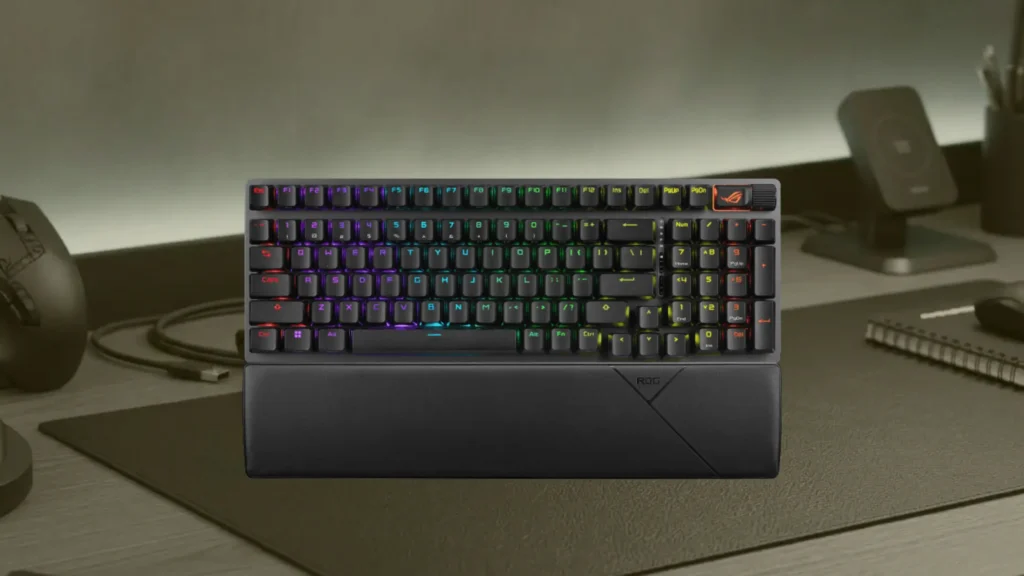
ASUS ROG Strix Scope II 96
Specs at a Glance
| Specification | Detail |
|---|---|
| Layout | 96% (99 keys, full-size in compact frame) |
| Switches | ROG NX Snow (linear) or NX Storm (clicky) |
| Keycaps | Double-shot PBT, mid-height profile |
| Connectivity | Tri-mode: 2.4GHz, Bluetooth, wired USB-C |
| Backlighting | Per-key RGB |
| Battery Life | Up to 1,500 hours (RGB off), 90 hours (RGB on) |
| Hot-Swappable | Yes |
| Software | Asus Armoury Crate |
| Wrist Rest | Magnetic, included |
| Weight | 2.2 pounds |
Reasons to Buy
- PCMag Editors' Choice award recognizes it as one of today's top-tier enthusiast gaming keyboards
- Extraordinary 1,500-hour battery life with RGB off sets a new standard for wireless keyboards
- 96% layout packs all full-size keys including number pad into a meaningfully smaller footprint
- Hot-swappable design with included keycap and switch puller enables easy customization
- ROG SuperNova wireless technology delivers sub-millisecond latency for competitive gaming
- Specially lubricated switch stabilizers provide smooth and rattle-free keystrokes throughout
- Magnetic wrist rest included out of the box adds immediate comfort for long typing sessions
- Six customizable profiles available through Armoury Crate for game-specific configurations
Reasons to Avoid
- Premium pricing makes it the most expensive keyboard on this list
- RGB lighting is noticeably dimmer than competing keyboards at this price point
- Armoury Crate software can feel overwhelming and cluttered for new users
- Wrist rest is stiffer than the magnetic varieties offered by competing brands
A Full-Size Keyboard That Does Not Feel Full-Size
The ROG NX Switches and Their Thocky Reputation
1,500 Hours of Battery Life
Who Should Buy the ROG Strix Scope II 96 Wireless
Best for: Serious gamers, enthusiast typists, and buyers who want a premium full-size wireless mechanical keyboard with extraordinary battery life and professional competitive credentials.
AULA WIN68 HE
Specs at a Glance
| Specification | Detail |
|---|---|
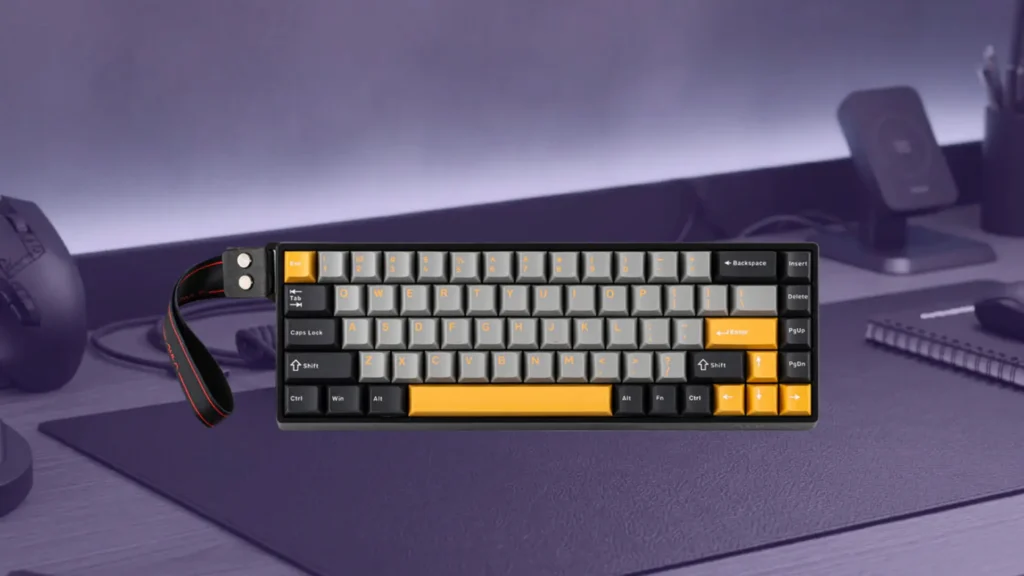
| Layout | 65% (68 keys) |
| Switches | Leobog Wing Chun or Greywood Magnetic Hall Effect |
| Switch Actuation Force | 36gf initial / 49gf bottom-out (Wing Chun) |
| Switch Stroke | 3.4mm |
| Switch Accuracy | 0.02mm |
| Connectivity | Wired USB only |
| Polling Rate | 8,000 Hz |
| Backlighting | South-facing RGB LEDs |
| Hot-Swappable | Yes (hall-effect compatible switches) |
| Weight | 700 grams |
| Case | ABS plastic tray mount |
Reasons to Buy
- Hall-effect magnetic switches with 0.02mm precision accuracy available at an accessible price point
- 8,000 Hz polling rate delivers the highest update frequency available for competitive gaming
- Hot-swappable design accepts compatible hall-effect switches for future customization
- Advanced features including Rapid Switch, Dual Key Switching, SOCD, and Dead Zone configuration
- Unique side-printed keycap design creates a distinctive aesthetic unlike any competing budget keyboard
- Compact 65% layout maximizes desk space for wide mouse sweeps in competitive gaming
- Anti-ghosting and NKRO ensure every simultaneous keypress registers accurately
- Lightweight at 700 grams for comfortable portability between locations
Reasons to Avoid
- Wired only with no wireless connectivity option
- Sound profile leans clicky and hollow rather than the thocky character enthusiasts prefer
- ABS plastic case and slight key wobble feel less premium than higher-end competing boards
- Proprietary online driver rather than installable software limits offline customization access
- No adjustable kickstands for typing angle customization
Hall-Effect Magnetic Switches
8,000 Hz Polling
The Trade-off You Need to Understand
Best for: Competitive gamers who want the most advanced magnetic hall-effect switch technology and the highest polling rate available at an accessible price, and who do not require wireless connectivity.
AULA F75 Pro
Specs at a Glance
| Specification | Detail |
|---|---|
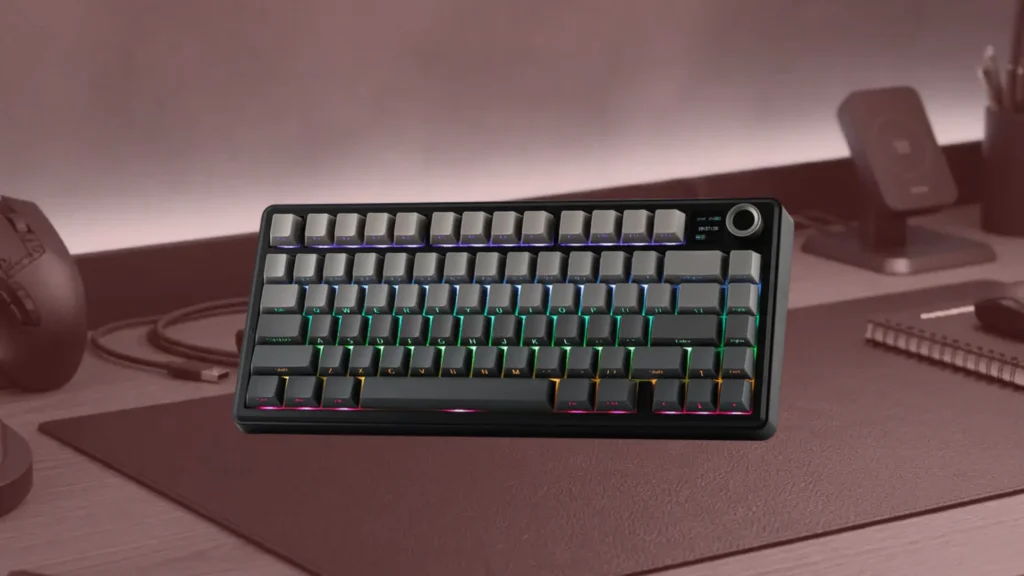
| Layout | 75% |
| Switches | Leobog Reaper linear or TTC Crescent linear (color dependent) |
| Mount | Gasket mount with silicone tabs |
| Connectivity | Tri-mode: USB-C, 2.4GHz, Bluetooth (3 profiles) |
| Battery | 4,000mAh |
| Keycaps | Double-shot PBT |
| Foam Layers | Five layers including silicone bottom, dual PCB poron, switch pad, PET sheet |
| Hot-Swappable | Yes, 5-pin |
| Volume Knob | Yes, top-right corner |
| Backlighting | Per-key RGB |
Reasons to Buy
- Five layers of sound-absorbing foam deliver an exceptionally thocky sound profile out of the box
- Gasket mount with silicone tabs provides satisfying flex and a consistently bouncy typing experience
- Tri-mode connectivity with flawless 2.4GHz wireless performance and instant reconnection
- 4,000mAh battery lasted over a week of heavy use with full RGB enabled in independent testing
- Outstanding out-of-the-box stabilizers with minimal rattle on larger keys
- Double-shot PBT keycaps in a clean and attractive light blue colorway
- Rotary volume knob with dual-mode Office and Game functionality built into top-right corner
- Premium feel that dramatically exceeds what the price suggests according to multiple reviewers
Reasons to Avoid
- Disassembly is extremely difficult and risks damaging the case, limiting modding accessibility
- No companion software available for key remapping or advanced customization
- The claimed leaf-spring gasket mounting system is not present as advertised, only standard gasket
- Single-color LED strip beside the escape key adds no functional or aesthetic value
Five Layers of Foam and What That Means for Sound
Gasket Mount Performance on a Budget
Tri-Mode Wireless That Just Works
Best for: Sound-focused enthusiasts, keyboard hobbyists, and buyers who want the most impressive out-of-the-box acoustic and tactile experience available at a budget price.
EPOMAKER Ajazz AK820 Pro
Specs at a Glance
| Specification | Detail |
|---|---|
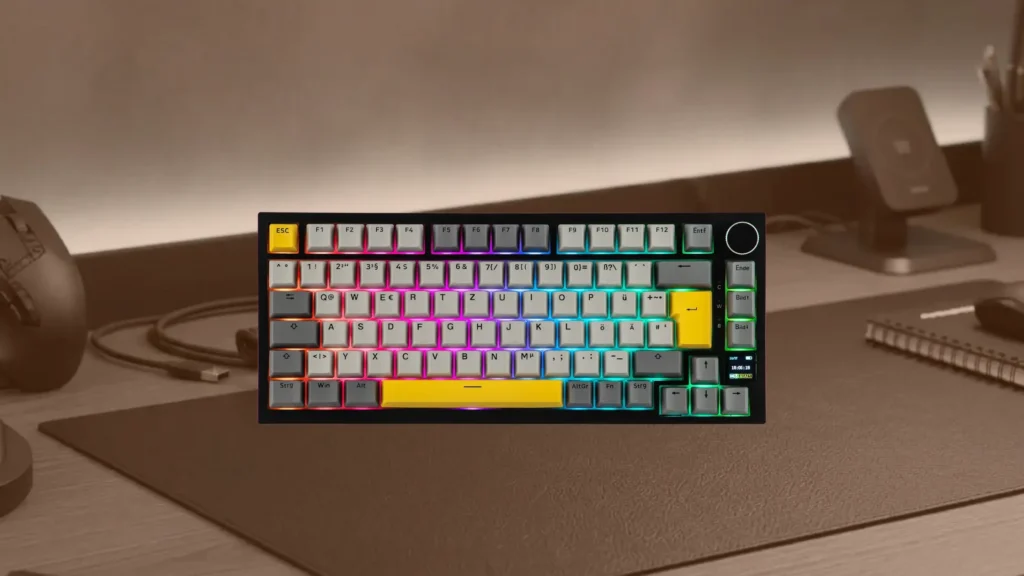
| Layout | 75% (81 keys) |
| Switches | Ajazz Flying Fish linear (42g) or Gift linear (45g) |
| Switch Travel | 3.5mm (Flying Fish) / 3.6mm (Gift) |
| Mount | Gasket |
| Connectivity | Tri-mode: Bluetooth, 2.4GHz, wired USB-C |
| Paired Devices | Up to 3 |
| Battery | 4,000mAh |
| Keycaps | Double-shot PBT, OEM or MOA profile |
| Backlighting | South-facing per-key RGB |
| Hot-Swappable | Yes, 3-pin and 5-pin compatible |
| Display | TFT screen |
| Volume Knob | Metallic rotary knob included |
Reasons to Buy
- Tom's Guide calls it one of the best mechanical keyboards money can buy at its exceptional price point
- Double-shot PBT keycaps provide better durability and oil resistance than ABS alternatives at higher prices
- Gasket mount delivers comfortable flex and reduced fatigue during extended typing sessions
- Flying Fish switches provide highly responsive and smooth actuation with a satisfying thocky sound
- Metallic rotary knob adds premium aesthetic appeal alongside practical volume control functionality
- TFT display screen shows battery and connection information at a glance
- Epomaker Driver software enables key remapping, RGB customization, macro recording, and firmware updates
- macOS and Windows toggle switch on the back provides immediate layout switching for multi-platform users
Reasons to Avoid
- TFT screen's GIF and custom image display functionality did not work reliably in Tom's Guide testing
- Slight flex in the plastic body and minor creaking under firm pressure
- South-facing RGB LEDs rather than north-facing means backlighting shines through legends differently
Build Quality That Defies the Price
Flying Fish Switches
Features That Compete With Keyboards at Double the Price
Best for: First-time mechanical keyboard buyers, budget-focused gamers and typists, and anyone who wants the most complete feature set available at the lowest possible price point.
AULA S99
Specs at a Glance
| Specification | Detail |
|---|---|
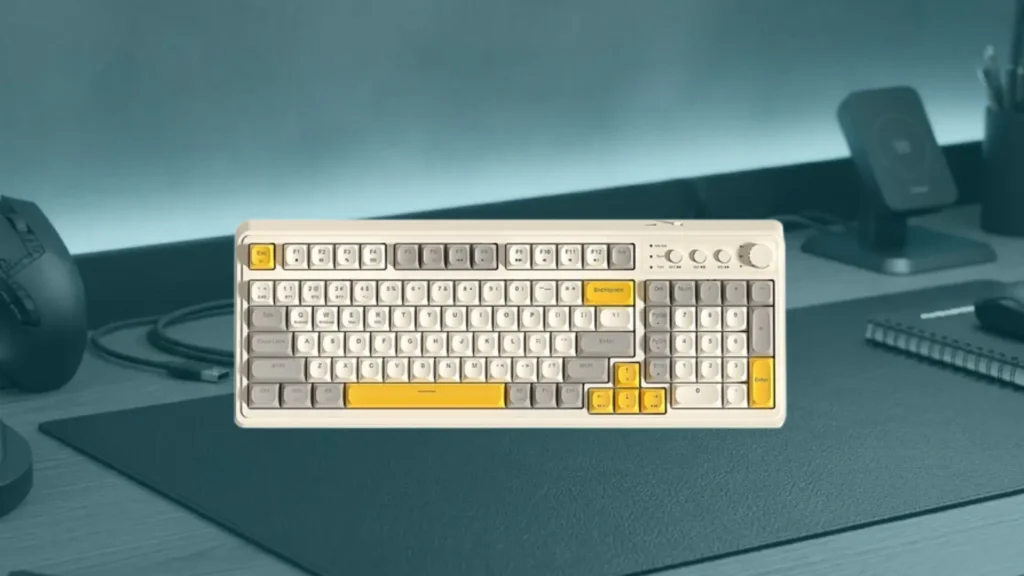
| Layout | 75% |
| Switches | Red linear or Blue clicky (factory default) |
| Connectivity | Tri-mode: USB-C, 2.4GHz, Bluetooth 5.0 |
| Paired Devices | Up to 3 via Bluetooth |
| Battery | 4,000mAh |
| Battery Life | Up to 300 hours (RGB off) / 25 to 30 hours (RGB on) |
| Keycaps | Double-shot injection-molded |
| Backlighting | Full RGB with dozens of presets |
| Hot-Swappable | Yes, 3-pin and 5-pin compatible |
| Volume Knob | Multifunctional rotary knob |
| Lock | Windows key lock supported |
Reasons to Buy
- Up to 300-hour battery life with RGB disabled is exceptional for a wireless keyboard at this price
- Tri-mode connectivity including Bluetooth 5.0 with three-device pairing for full multi-device flexibility
- Hot-swappable sockets compatible with 3-pin and 5-pin switches from major brands
- Multifunctional rotary knob provides volume control, media playback, and customizable actions
- 75% layout retains arrow keys, function row, and navigation cluster in a compact footprint
- Dozens of RGB lighting presets including wave, ripple, breathing, and reactive typing modes
- Windows key lock prevents accidental interruptions during competitive gaming sessions
- Intelligent sleep mode preserves battery during idle periods automatically
Reasons to Avoid
- Software is more basic than competing options and lacks QMK or VIA support
- No dedicated macro keys for users who rely heavily on programmable shortcuts
- Factory switch options are limited depending on vendor availability
- RGB active battery life of 25 to 30 hours trails some competing tri-mode keyboards
Tri-Mode Connectivity for Maximum Flexibility
300-Hour Battery Life With RGB Off
Hot-Swappable at This Price
Best for: First-time mechanical keyboard buyers, casual wireless gamers, and multi-device users who want a feature-rich beginner-friendly tri-mode keyboard at an accessible price.
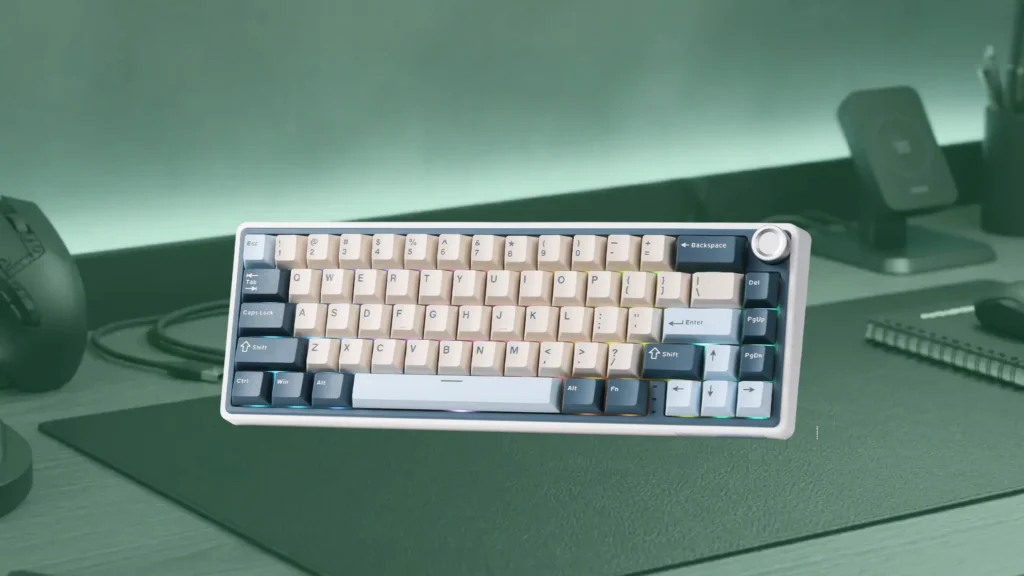
RK Royal Kludge R65
Specs at a Glance
| Specification | Detail |
|---|---|
| Layout | 65% (66 keys) |
| Switches | Cream linear, pre-lubed and hot-swappable |
| Mount | Gasket with five sound-dampening layers |
| Connectivity | Tri-mode: USB-C, 2.4GHz, Bluetooth |
| Paired Devices | Up to 3 |
| Battery | 4,000mAh |
| Keycaps | Double-shot PBT, MDA profile |
| Backlighting | RGB with 20+ customizable modes |
| Customization | QMK/VIA support |
| Volume Knob | CNC-machined aluminum knob |
| Weight | 0.58 kg |
Reasons to Buy
- Full QMK/VIA support enables deep key remapping, macro programming, and advanced customization
- Pre-lubed cream linear switches deliver a smooth and quiet typing experience immediately out of the box
- CNC-machined aluminum volume knob adds genuine premium quality to an otherwise budget-priced keyboard
- Gasket mount with five sound-dampening layers provides comfortable flex and acoustic isolation
- 65% compact layout maximizes desk space while retaining arrow keys for gaming and navigation
- Double-shot PBT keycaps with MDA profile offer ergonomic comfort and long-term legend durability
- Lightweight at 0.58 kg for easy portability between home, office, and travel setups
- Anti-slip feet keep the keyboard stable on desk surfaces during intense gaming moments
Reasons to Avoid
- Linear cream switches will not satisfy buyers who prefer tactile or clicky feedback
- RGB lighting lacks individually per-key illumination, which limits visibility for low-light typists
- 65% layout omits dedicated function row, which requires adjustment for users accustomed to full-size keyboards
QMK and VIA
Pre-Lubed Cream Switches and the Gasket Advantage
The Aluminum Volume Knob That Sets It Apart
Best for: Enthusiast buyers who want deep customization through QMK and VIA, compact 65% layout users, and gamers who appreciate premium component details like a machined aluminum volume knob at a budget price.
Final Verdict
With six mechanical keyboards covering every budget tier, layout preference, and use case, the right choice comes down entirely to your priorities and how you plan to use the keyboard day to day.
| Your Priority | Best Keyboard Pick |
|---|---|
| Premium full-size wireless gaming | ASUS ROG Strix Scope II 96 Wireless |
| Best competitive hall-effect performance | AULA WIN68 HE |
| Best sound and feel for the price | AULA F75 Pro |
| Best all-round value and features | EPOMAKER Ajazz AK820 Pro |
| Best beginner wireless keyboard | AULA S99 |
| Best compact with QMK customization | RK Royal Kludge R65 |
For the vast majority of buyers looking for the best budget mechanical keyboard that delivers the most complete package of features, build quality, and typing experience at the lowest price, the EPOMAKER Ajazz AK820 Pro is the single strongest recommendation. It combines genuinely impressive build quality, smooth linear switches, double-shot PBT keycaps, tri-mode wireless, gasket mount, a metallic volume knob, and easy-to-use companion software in a package that Tom’s Guide confirmed punches well above its price in virtually every category.
For competitive gamers who specifically want hall-effect switch technology and maximum polling rate, the AULA WIN68 HE is the answer. For sound enthusiasts, the AULA F75 Pro’s extraordinary foam configuration delivers a thocky acoustic character that commands a premium in every other keyboard. And for buyers who want to fully customize their keyboard’s behavior from day one, the RK Royal Kludge R65’s QMK and VIA support offers unlimited configurability at an accessible price.
Whatever your budget and priorities, the mechanical keyboard market in 2026 gives every type of buyer a genuinely excellent option that makes the upgrade from membrane a worthwhile and immediately noticeable improvement to your daily computing and gaming experience.